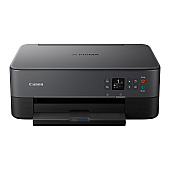
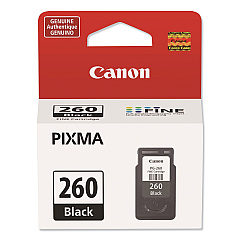
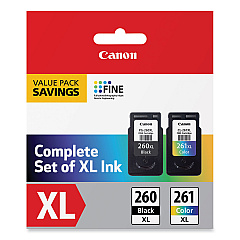





Canon PIXMA TS6420aBK Black Ink Cartridges

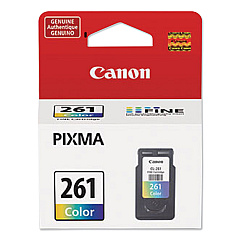
Canon PIXMA TS6420aBK Color Ink Cartridges

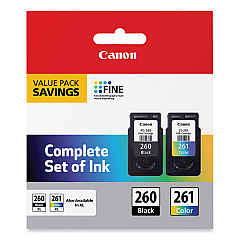
Canon PIXMA TS6420aBK Ink Set

Enhance your printing experience with genuine Canon PIXMA TS6420aBK Ink Cartridges. These high-quality cartridges ensure crisp text and vibrant color output for all your documents and photos. Choose from a range of options including the standard CL-261 Color and PG-260 Black cartridges for everyday printing, or opt for the high-yield XL versions for more pages and greater value. The convenient value packs combine black and color cartridges for added savings. Whether you're printing reports, presentations, or family photos, these cartridges deliver exceptional results. Compatible with the Canon PIXMA TS6420aBK printer, these inks are designed to work seamlessly with your device, providing reliable performance and stunning print quality. Invest in genuine Canon ink cartridges to maintain your printer's warranty and achieve professional-grade results every time.

Canon PIXMA TS6420aBK Ink Cartridges FAQs

  • What ink cartridges are compatible with the Canon PIXMA TS6420aBK printer?

    The Canon PIXMA TS6420aBK is compatible with Canon CL-261, CL-261XL, PG-260, and PG-260XL ink cartridges, as well as value packs containing these cartridges.

  • What's the difference between standard and XL ink cartridges?

    XL cartridges have a higher ink capacity and can print more pages than standard cartridges, offering better value for frequent printing.

  • Are these genuine Canon ink cartridges?

    Yes, all the cartridges listed are genuine Canon ink cartridges designed specifically for the PIXMA TS6420aBK printer.

  • What's included in the value pack?

    The value packs typically include both black and color cartridges, offering a convenient and cost-effective option for replacing multiple cartridges at once.

  • How long do these ink cartridges typically last?

    The lifespan of ink cartridges varies depending on usage, but XL cartridges generally last longer than standard ones. Refer to the page yield information for each specific cartridge.

  • Can I use third-party ink cartridges in my Canon PIXMA TS6420aBK?

    While third-party cartridges may work, using genuine Canon ink cartridges ensures optimal print quality and helps maintain your printer's warranty.

  • How do I install these ink cartridges?

    Installation is simple: open the printer's front cover, remove the old cartridge, and insert the new one until it clicks into place. Follow the printer's on-screen instructions for any additional steps.

  • Are these cartridges recyclable?

    Yes, Canon offers a recycling program for used ink cartridges. Check Canon's website for details on how to recycle your used cartridges.

  • How can I tell if my ink cartridge is running low?

    Your printer will display a low ink warning on its screen or through your computer when a cartridge is running low.

  • Can I buy these cartridges in bulk?

    While individual purchases are common, some retailers may offer bulk purchasing options. Check with the seller for any available bulk or multi-pack deals.

Warehouse Locations

Policy & Agreement | Copyright © 1995-2026 BlueDogInk.com
