




























Ads

Zebra S600 Printer Ribbon

Zebra S600 Printheads

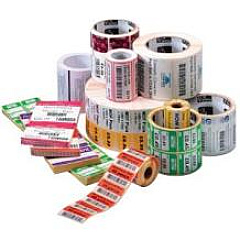
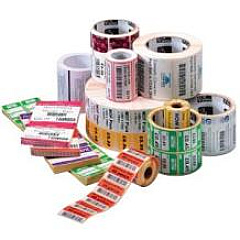
Zebra S600 Labels

Discover premium Zebra S600 Printers Supplies for your printing needs. Our extensive range includes various Zebra wax ribbons and resin ribbons, designed to deliver exceptional print quality and durability. From the Zebra 02000BK06045 Wax Ribbon to the Zebra 05100BK08945, we offer a wide selection of sizes and formulations to suit diverse applications. These high-performance supplies ensure crisp, long-lasting prints for barcodes, labels, and tags. Whether you require standard wax ribbons for general-purpose labeling or specialized resin ribbons for harsh environments, our Zebra S600 Printers Supplies have you covered. Enhance your printing efficiency and output quality with these genuine Zebra consumables, engineered to optimize the performance of your S600 printer. Trust in the reliability and consistency of Zebra supplies for all your industrial and commercial printing requirements.

Zebra S600 Printers Supplies FAQs

  • What types of ribbons are available for Zebra S600 printers?

    Zebra S600 printers use various wax, resin, and wax/resin ribbons, including the 02000, 02100, 03200, and 05095 series.

  • How do I choose the right ribbon for my Zebra S600 printer?

    Select based on your application needs, print surface, and environmental conditions. Wax ribbons are suitable for paper labels, while resin ribbons are best for synthetic materials and harsh environments.

  • What is the difference between wax and resin ribbons?

    Wax ribbons are economical and ideal for general-purpose labeling, while resin ribbons offer greater durability and resistance to chemicals, heat, and abrasion.

  • How long do Zebra S600 printer ribbons last?

    Ribbon life depends on usage, but most Zebra ribbons for S600 printers range from 300 to 450 meters in length, providing thousands of prints per roll.

  • Are Zebra S600 printer supplies compatible with other Zebra printer models?

    Some supplies may be compatible with other Zebra models, but it's best to check the specific printer requirements to ensure optimal performance.

  • How do I install a new ribbon in my Zebra S600 printer?

    Open the printer cover, place the new ribbon roll on the supply spindle, thread the ribbon through the print mechanism, and attach it to the take-up core. Refer to your printer's manual for detailed instructions.

  • Can I use non-Zebra branded supplies in my Zebra S600 printer?

    While third-party supplies may work, using genuine Zebra supplies ensures optimal print quality, printer performance, and may be required to maintain your warranty.

  • What do the numbers in the Zebra ribbon part numbers mean?

    The numbers typically indicate the ribbon type, width, and length. For example, in 02000BK06045, '02000' is the formulation, 'BK' means black, '060' is the width in mm, and '45' is the length in meters.

  • How should I store my Zebra S600 printer supplies?

    Store ribbons in a cool, dry place away from direct sunlight. Keep them in their original packaging until ready for use to prevent damage and contamination.

  • Do Zebra S600 printer supplies have an expiration date?

    While ribbons don't typically expire, it's best to use them within 1-2 years of purchase for optimal performance. Proper storage can extend their usable life.

Warehouse Locations

Policy & Agreement | Copyright © 1995-2026 BlueDogInk.com
