





Ads

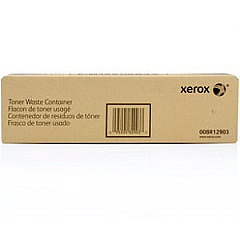
Xerox WorkCentre Pro C2636 Waste Toner Kits

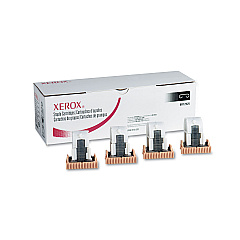
Xerox WorkCentre Pro C2636 Printer Staples

Enhance your printing efficiency with genuine Xerox WorkCentre Pro C2636 Toner Cartridges. These high-quality consumables are designed to deliver exceptional print quality and reliability for your Xerox WorkCentre Pro C2636 multifunction printer. Our comprehensive range includes the essential Xerox 008R12903 Waste Toner Container, which efficiently collects excess toner to maintain clean, crisp prints. For document finishing needs, the Xerox 008R12925 Staple Cartridge ensures professional-looking presentations and reports. By choosing authentic Xerox supplies, you'll maximize your device's performance and extend its lifespan. Whether you're in a busy office, educational institution, healthcare facility, or government agency, these toner cartridges and accessories are designed to meet the demands of high-volume printing environments. Trust in Xerox WorkCentre Pro C2636 Toner Cartridges for consistent, high-quality results that keep your workflow running smoothly.

Xerox WorkCentre Pro C2636 Printers Supplies FAQs

  • How often should I replace the Xerox 008R12903 Waste Toner Container?

    The replacement frequency depends on your printing volume. Generally, replace it when prompted by your printer or when you notice a decline in print quality.

  • Are these toner cartridges compatible with other Xerox printers?

    These cartridges are specifically designed for the Xerox WorkCentre Pro C2636. Always check your printer's compatibility before purchasing.

  • How many staples does the Xerox 008R12925 Staple Cartridge contain?

    The Xerox 008R12925 Staple Cartridge typically contains 5,000 staples.

  • Can I use third-party toner cartridges in my Xerox WorkCentre Pro C2636?

    While third-party cartridges may work, using genuine Xerox cartridges ensures optimal performance and maintains your printer's warranty.

  • How do I install the Xerox 008R12903 Waste Toner Container?

    Consult your printer's user manual for specific instructions. Generally, you'll need to open the front panel, remove the old container, and insert the new one until it clicks into place.

  • What is the shelf life of unopened toner cartridges?

    Unopened toner cartridges typically have a shelf life of 18-24 months when stored in a cool, dry place away from direct sunlight.

  • How can I recycle used toner cartridges and waste containers?

    Xerox offers a recycling program for used cartridges and containers. Visit their website or contact your local Xerox representative for details.

  • What should I do if I experience print quality issues?

    First, check if your toner cartridges need replacement. If the issue persists, clean the print heads and perform a printer calibration as per the user manual instructions.

  • Are these toner cartridges available in different colors?

    Yes, the Xerox WorkCentre Pro C2636 uses separate cartridges for cyan, magenta, yellow, and black toner.

  • How many pages can I expect to print with a single toner cartridge?

    Page yield varies depending on the specific cartridge and your print settings. Check the product specifications for estimated page yields under standard conditions.

Warehouse Locations

Policy & Agreement | Copyright © 1995-2026 BlueDogInk.com
