






Ads

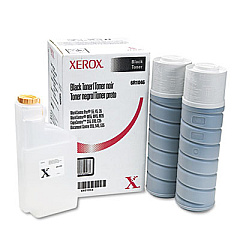
Xerox WorkCentre Pro 35 Advanced Black Toner Cartridges

Xerox WorkCentre Pro 35 Advanced Fusers

Enhance your office productivity with Xerox WorkCentre Pro 35 Advanced Toner Cartridges. These high-quality consumables are designed specifically for the Xerox WorkCentre Pro 35 multifunction printer, ensuring optimal performance and crisp, professional output. The Xerox 006R01046 Black Toner Cartridge delivers exceptional print quality and long-lasting results, perfect for businesses, educational institutions, government offices, and healthcare facilities. For seamless operation, pair it with the Xerox 109R00752 Fuser, which maintains consistent heat and pressure for flawless prints. These advanced supplies are engineered to maximize efficiency, minimize downtime, and reduce overall printing costs. Whether you're printing important documents, reports, or presentations, Xerox WorkCentre Pro 35 Advanced Toner Cartridges provide the reliability and quality you need to make a lasting impression. Invest in genuine Xerox supplies to keep your WorkCentre Pro 35 running at peak performance.

Xerox WorkCentre Pro 35 Advanced Printers Supplies FAQs

  • What is the page yield of the Xerox 006R01046 Black Toner Cartridge?

    The Xerox 006R01046 Black Toner Cartridge has an estimated yield of 30,000 pages at 5% coverage.

  • Are these toner cartridges compatible with other Xerox printers?

    These toner cartridges are specifically designed for the Xerox WorkCentre Pro 35 and may not be compatible with other Xerox printer models.

  • How often should I replace the Xerox 109R00752 Fuser?

    The fuser typically needs replacement after 200,000 pages, but this may vary depending on usage and print conditions.

  • Can I use third-party toner cartridges in my Xerox WorkCentre Pro 35?

    While third-party cartridges may work, using genuine Xerox supplies ensures optimal performance and maintains your printer's warranty.

  • How do I install the Xerox 006R01046 Black Toner Cartridge?

    Open the front cover of the printer, remove the old cartridge, and insert the new one until it clicks into place. Close the cover to complete installation.

  • What should I do with my used toner cartridges?

    Xerox offers a recycling program for used cartridges. Visit their website or contact your local Xerox representative for details on how to participate.

  • How can I extend the life of my toner cartridge?

    Use draft mode for internal documents, print in grayscale when color isn't necessary, and ensure your printer firmware is up to date for optimal efficiency.

  • Are these toner cartridges environmentally friendly?

    Yes, Xerox designs their cartridges with environmental sustainability in mind, using recyclable materials and offering recycling programs.

  • How long can I store unused toner cartridges?

    Unopened toner cartridges can typically be stored for up to two years in a cool, dry place away from direct sunlight.

  • Does using genuine Xerox toner affect my print quality?

    Yes, genuine Xerox toner is formulated specifically for your printer to provide the best possible print quality and consistency.

Warehouse Locations

Policy & Agreement | Copyright © 1995-2026 BlueDogInk.com
