








Ads

Xerox WorkCentre Pro 275 Black Toner Cartridges

Xerox WorkCentre Pro 275 Waste Toner Kits

Xerox WorkCentre Pro 275 Transfer Units

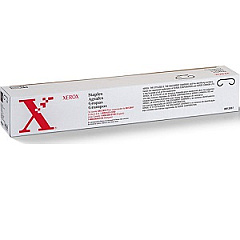
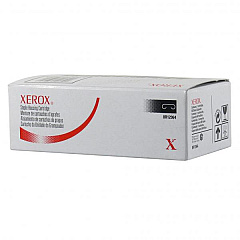
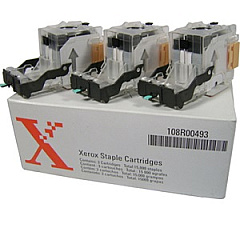
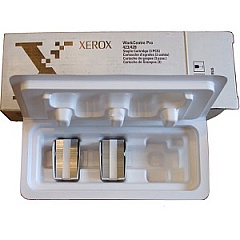
Xerox WorkCentre Pro 275 Printer Staples

Xerox WorkCentre Pro 275 Printer Parts

Xerox WorkCentre Pro 275 Copy Paper

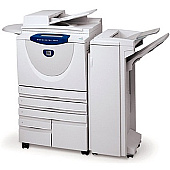
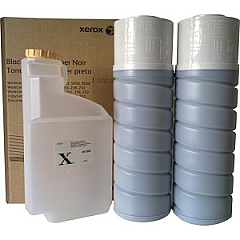
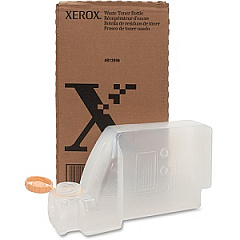
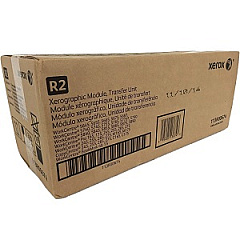
Ensure peak performance and exceptional print quality with genuine Xerox WorkCentre Pro 275 Toner Cartridges and supplies. This versatile multifunction printer relies on a range of high-quality consumables, including the Xerox 006R01146 Black Toner Cartridge for crisp, professional text and graphics. Maintain your device's efficiency with the Xerox 008R12896 Waste Toner Bottle and various staple cartridge options like the 008R12897, 008R12941, and 008R12964. For high-volume finishing needs, consider the 108R00493 or 108R00535 Staple Cartridges. The 113R00674 Transfer Unit ensures optimal image transfer, while the 108R00682 Replacement Staple Cartridge offers 3,000 staples for convenient document finishing. By choosing authentic Xerox supplies, you'll maximize your WorkCentre Pro 275's performance, reliability, and output quality, ensuring your business documents always make a lasting impression.

Xerox WorkCentre Pro 275 Toner Cartridges FAQs

  • How often should I replace the toner cartridge in my Xerox WorkCentre Pro 275?

    Toner replacement frequency depends on your print volume and coverage. Generally, replace when print quality diminishes or when prompted by the printer.

  • Are compatible toner cartridges safe to use in the Xerox WorkCentre Pro 275?

    While compatible cartridges may work, using genuine Xerox toner ensures optimal performance, print quality, and prevents potential damage to your printer.

  • How do I install a new toner cartridge in the Xerox WorkCentre Pro 275?

    Open the front cover, rotate the toner cartridge lock lever, remove the old cartridge, insert the new one, and rotate the lever back. Close the cover to complete installation.

  • What is the page yield of the Xerox 006R01146 Black Toner Cartridge?

    The Xerox 006R01146 Black Toner Cartridge typically yields around 30,000 pages at 5% coverage.

  • How do I know when to replace the waste toner bottle?

    The printer will display a message when the waste toner bottle is nearly full. Replace it promptly to avoid interruptions in printing.

  • Can I recycle used Xerox toner cartridges?

    Yes, Xerox offers a free recycling program for used toner cartridges. Visit their website or contact customer support for details.

  • What's the difference between the various staple cartridge options?

    Different staple cartridges are designed for specific finisher models or stapling capacities. Consult your printer's manual to determine the correct cartridge for your needs.

  • How often should the transfer unit be replaced?

    The transfer unit typically lasts for several hundred thousand pages. Replace it when print quality issues persist after changing the toner cartridge.

  • Can I store extra toner cartridges for future use?

    Yes, store unopened toner cartridges in a cool, dry place away from direct sunlight. Use within 2 years for best results.

  • What should I do if I get toner on my clothes or skin?

    Brush off excess toner and wash the affected area with cold water. Avoid using hot water, as it can set the toner into fabric.

Warehouse Locations

Policy & Agreement | Copyright © 1995-2026 BlueDogInk.com
