







Ads

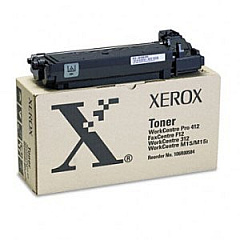
Xerox WorkCentre M15i Black Toner Cartridges

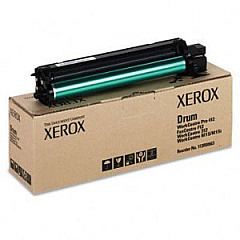
Xerox WorkCentre M15i Drum Units

Xerox WorkCentre M15i Printer Accessories

Xerox WorkCentre M15i Labels

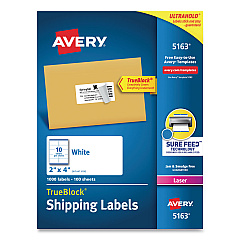
  • Avery 5163 Labels

    Item 5163

    Avery 5163 Labels

    Shipping Labels with TrueBlock Technology, Laser, 2 x 4, White, 1000/Box..

    Status

    In Stock

    $37.99

Xerox WorkCentre M15i Copy Paper

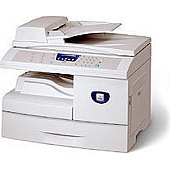
Enhance your office productivity with genuine Xerox WorkCentre M15i Toner Cartridges and accessories. The Xerox 106R00584 Black Toner Cartridge delivers crisp, professional-quality prints, while the Xerox 113R00663 Drum Cartridge ensures long-lasting performance. Streamline your workflow with the Xerox Automatic Document Feeder (498N00308), perfect for high-volume scanning and copying tasks. For advanced document management, the Xerox Scan to PC Desktop Small Business Edition (5 Seats) (301K23432) offers powerful scanning and organizing capabilities. These OEM supplies are designed to work seamlessly with your Xerox WorkCentre M15i, guaranteeing optimal print quality and device longevity. Whether you're in a bustling office, educational institution, or healthcare facility, these Xerox supplies will keep your M15i running efficiently, producing sharp, reliable prints day after day.

Xerox WorkCentre M15i Toner Cartridges FAQs

  • What is the page yield of the Xerox 106R00584 Black Toner Cartridge?

    The Xerox 106R00584 Black Toner Cartridge has a page yield of approximately 6,000 pages at 5% coverage.

  • How often should I replace the Xerox 113R00663 Drum Cartridge?

    The Xerox 113R00663 Drum Cartridge typically needs replacement after about 15,000 pages, but this can vary depending on usage patterns.

  • Is the Xerox Automatic Document Feeder (498N00308) compatible with all WorkCentre M15i models?

    Yes, the Xerox Automatic Document Feeder (498N00308) is designed to be compatible with all WorkCentre M15i models.

  • What features does the Xerox Scan to PC Desktop Small Business Edition offer?

    The Xerox Scan to PC Desktop Small Business Edition offers advanced scanning, OCR, and document management capabilities for up to 5 users.

  • Can I use third-party toner cartridges in my Xerox WorkCentre M15i?

    While third-party cartridges may work, using genuine Xerox toner cartridges ensures optimal print quality and prevents potential damage to your device.

  • How do I install the Xerox 106R00584 Black Toner Cartridge?

    To install the toner cartridge, open the front cover, remove the old cartridge, and insert the new one until it clicks into place. Then close the cover.

  • What operating systems are compatible with the Xerox Scan to PC Desktop software?

    The Xerox Scan to PC Desktop software is compatible with Windows operating systems, including Windows 10, 8.1, and 7.

  • How can I extend the life of my Xerox 113R00663 Drum Cartridge?

    To extend the life of your drum cartridge, avoid exposing it to direct sunlight, maintain a clean printing environment, and use high-quality paper.

  • Does the Xerox WorkCentre M15i support duplex printing?

    Yes, the Xerox WorkCentre M15i supports automatic duplex printing, allowing you to print on both sides of the paper.

  • What is the warranty period for Xerox WorkCentre M15i supplies?

    Genuine Xerox supplies typically come with a 90-day warranty against defects in materials and workmanship from the date of purchase.

Warehouse Locations

Policy & Agreement | Copyright © 1995-2026 BlueDogInk.com
