








Ads

Xerox WorkCentre 5945i Black Toner Cartridges

Xerox WorkCentre 5945i Drum Units

Xerox WorkCentre 5945i Fusers

Xerox WorkCentre 5945i Maintenance Kits

Xerox WorkCentre 5945i Printer Staples

Xerox WorkCentre 5945i Copy Paper

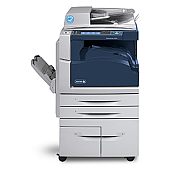
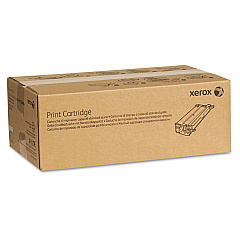
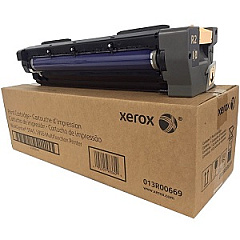
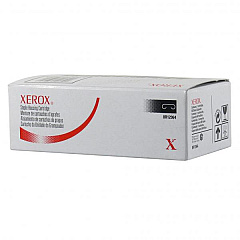
Enhance your printing experience with genuine Xerox WorkCentre 5945i Toner Cartridges and supplies. This high-performance multifunction printer demands top-quality consumables to maintain its exceptional output. Our range includes the Xerox 006R01605 Black Toner Cartridge for crisp text and images, the 008R12941 and 008R12964 Staple Cartridges for professional document finishing, and the 008R13178 Transfer Roller for consistent image transfer. The 013R00669 Print Cartridge ensures long-lasting, high-quality prints, while the 109R00847 Fuser maintains optimal print quality. By choosing authentic Xerox supplies, you guarantee the best performance, reliability, and print quality for your WorkCentre 5945i. These OEM products are designed to work seamlessly with your device, minimizing downtime and maximizing productivity in busy office environments. Trust in Xerox for all your printing needs.

Xerox WorkCentre 5945i Toner Cartridges FAQs

  • How often should I replace the toner cartridge in my Xerox WorkCentre 5945i?

    The frequency of toner replacement depends on your print volume. Generally, you should replace the toner when the printer indicates low toner levels or when print quality diminishes.

  • Are compatible toner cartridges safe to use in the Xerox WorkCentre 5945i?

    While compatible cartridges may work, using genuine Xerox toner cartridges is recommended to ensure optimal performance, print quality, and to maintain your printer's warranty.

  • How many pages can the Xerox 006R01605 Black Toner Cartridge print?

    The Xerox 006R01605 Black Toner Cartridge has a yield of approximately 44,000 pages at 5% coverage.

  • What is the purpose of the Xerox 008R13178 Transfer Roller?

    The transfer roller is responsible for transferring toner from the drum unit onto the paper during the printing process, ensuring consistent image quality.

  • How often should I replace the Xerox 109R00847 Fuser?

    The fuser typically needs replacement after printing around 400,000 pages, but this can vary based on usage patterns and print environment.

  • Can I recycle used Xerox toner cartridges?

    Yes, Xerox offers a recycling program for used toner cartridges. You can return them to Xerox or participate in their Green World Alliance program.

  • What's the difference between the 008R12941 and 008R12964 Staple Cartridges?

    These staple cartridges are designed for different finisher models. Check your specific finisher model to determine which staple cartridge is compatible.

  • How do I know when to replace the Xerox 013R00669 Print Cartridge?

    The printer will display a message indicating when the print cartridge needs replacement. You may also notice a decline in print quality.

  • Are these supplies compatible with other Xerox WorkCentre models?

    Some supplies may be compatible with other WorkCentre models, but it's best to check the specific compatibility for each item with your printer model.

  • What should I do if I experience print quality issues after installing new supplies?

    If you experience issues after installing new supplies, ensure they are correctly installed and seated. If problems persist, contact Xerox support for assistance.

Warehouse Locations

Policy & Agreement | Copyright © 1995-2026 BlueDogInk.com
