








Ads

Xerox WorkCentre 5945 Black Toner Cartridges

Xerox WorkCentre 5945 Drum Units

Xerox WorkCentre 5945 Fusers

Xerox WorkCentre 5945 Maintenance Kits

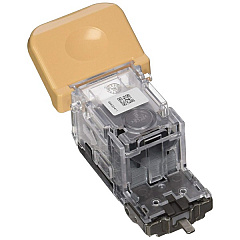
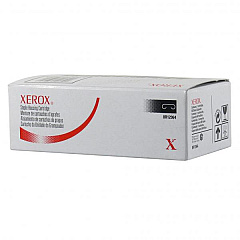
Xerox WorkCentre 5945 Printer Staples

Xerox WorkCentre 5945 Copy Paper

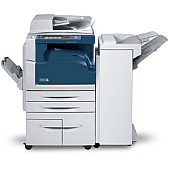
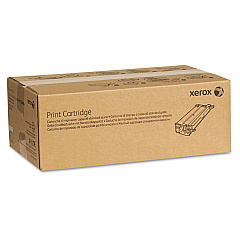
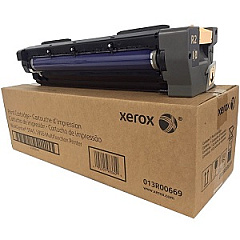
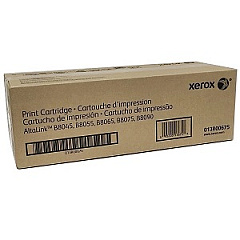
Ensure peak performance and exceptional print quality with genuine Xerox WorkCentre 5945 Toner Cartridges and supplies. This comprehensive range includes the high-yield 006R01605 Black Toner Cartridge, delivering crisp text and sharp images. Maintain your device's efficiency with essential components like the 013R00669 Print Cartridge and 013R00675 Drum Cartridge. For document finishing, choose from multiple staple cartridge options: 008R12941, 008R12964, and 108R01158. Keep your printer running smoothly with the 008R13178 Transfer Roller and 109R00847 Fuser. By using authentic Xerox supplies, you'll maximize your WorkCentre 5945's output quality, reliability, and longevity. Trust in Xerox's commitment to excellence and eco-friendly design, ensuring both superior results and environmental responsibility for your business, educational, healthcare, or government printing needs.

Xerox WorkCentre 5945 Toner Cartridges FAQs

  • How often should I replace the Xerox WorkCentre 5945 toner cartridge?

    The replacement frequency depends on your print volume. Generally, the 006R01605 Black Toner Cartridge yields approximately 44,000 pages at 5% coverage.

  • Are compatible toner cartridges safe to use in the Xerox WorkCentre 5945?

    While compatible cartridges may work, using genuine Xerox supplies ensures optimal performance, print quality, and device longevity. It also maintains your printer's warranty.

  • How do I know when to replace the drum cartridge?

    The printer will display a message when the drum cartridge (013R00675) needs replacement. Typically, it lasts for about 200,000 pages.

  • Can I recycle used Xerox toner cartridges?

    Yes, Xerox offers a free recycling program for used cartridges. Visit their website or contact customer support for details on how to participate.

  • What's the difference between the staple cartridge options?

    The different staple cartridges (008R12941, 008R12964, 108R01158) are designed for various finisher models. Check your specific finisher to determine the correct cartridge.

  • How often should the transfer roller be replaced?

    The 008R13178 Transfer Roller typically needs replacement after about 200,000 pages, but this can vary based on usage and print conditions.

  • What signs indicate that the fuser needs replacement?

    Poor print quality, such as smearing or loose toner, often indicates a worn fuser. The printer will also display a message when the 109R00847 Fuser needs replacement.

  • Can I store extra toner cartridges for future use?

    Yes, store unopened cartridges in a cool, dry place away from direct sunlight. Avoid extreme temperatures and high humidity.

  • How do I properly install a new toner cartridge?

    Follow the instructions in your printer's user manual. Generally, you'll need to open the front cover, remove the old cartridge, and insert the new one until it clicks into place.

  • Are these supplies compatible with other Xerox WorkCentre models?

    Some supplies may be compatible with other WorkCentre models, but it's best to check the specific part numbers for your printer to ensure compatibility.

Warehouse Locations

Policy & Agreement | Copyright © 1995-2026 BlueDogInk.com
