







Ads

Xerox WorkCentre 5875i Black Toner Cartridges

Xerox WorkCentre 5875i Waste Toner Kits

Xerox WorkCentre 5875i Fusers

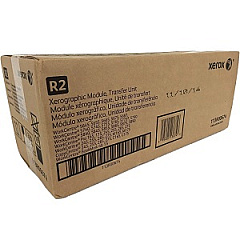
Xerox WorkCentre 5875i Transfer Units

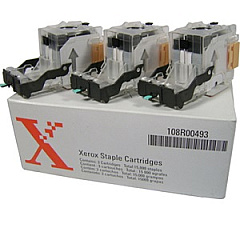
Xerox WorkCentre 5875i Printer Staples

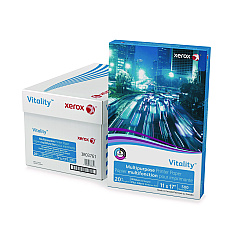
Xerox WorkCentre 5875i Copy Paper

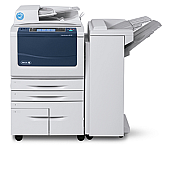
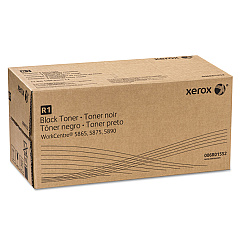
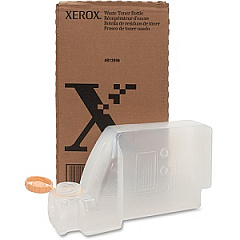
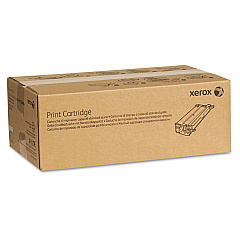
Enhance your office productivity with genuine Xerox WorkCentre 5875i Toner Cartridges and supplies. This high-performance multifunction printer demands top-quality consumables to maintain its exceptional output. Our comprehensive range includes the Xerox 006R01552 Black Toner Cartridge for crisp, professional prints, and the 008R12896 Waste Toner Bottle for efficient maintenance. Keep your documents perfectly bound with various staple cartridge options like the 008R12897, 008R12941, and 008R12964. For high-volume environments, the 108R00493 Staple Cartridges ensure uninterrupted operation. Maximize your printer's lifespan with the 109R00773 Fuser Module and 113R00674 Transfer Unit. By choosing authentic Xerox supplies, you guarantee optimal performance, superior print quality, and extended equipment life for your WorkCentre 5875i. Trust in Xerox to deliver consistent, professional results for all your printing needs.

Xerox WorkCentre 5875i Toner Cartridges FAQs

  • How often should I replace the toner cartridge in my Xerox WorkCentre 5875i?

    Toner replacement frequency depends on your print volume. The printer will alert you when toner is low and needs replacement.

  • Are compatible toner cartridges safe to use in the Xerox WorkCentre 5875i?

    While compatible cartridges may work, using genuine Xerox toner ensures optimal print quality and prevents potential damage to your printer.

  • How do I install the waste toner bottle in my Xerox WorkCentre 5875i?

    Consult your printer's user manual for specific instructions. Generally, you'll need to open the front panel and carefully insert the new waste toner bottle until it clicks into place.

  • What's the average yield of the Xerox 006R01552 Black Toner Cartridge?

    The Xerox 006R01552 Black Toner Cartridge typically yields around 55,000 pages at 5% coverage.

  • How often should I replace the fuser module?

    The fuser module typically needs replacement after 350,000 to 400,000 prints, but this can vary based on usage patterns.

  • Can I recycle used Xerox toner cartridges?

    Yes, Xerox offers a recycling program for used cartridges. Visit their website or contact your local Xerox representative for details.

  • What's the difference between the various staple cartridges available?

    Different staple cartridges are designed for specific finisher units. Check your printer's configuration to determine which staple cartridge is compatible.

  • How do I know when to replace the transfer unit?

    The printer will display a message when the transfer unit needs replacement, typically after about 200,000 prints.

  • Can I use the same toner cartridge for all Xerox WorkCentre models?

    No, toner cartridges are model-specific. Always use the cartridge designed for your particular printer model.

  • What should I do if I experience print quality issues?

    First, ensure you're using genuine Xerox supplies. If issues persist, clean the print heads and check for any error messages. If problems continue, contact Xerox support.

Warehouse Locations

Policy & Agreement | Copyright © 1995-2026 BlueDogInk.com
