






Ads

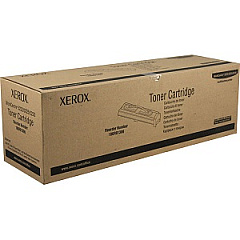
Xerox WorkCentre 5225A Black Toner Cartridges

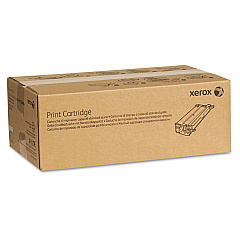
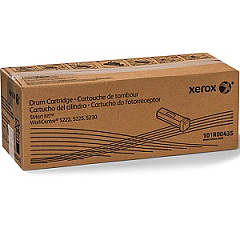
Xerox WorkCentre 5225A Drum Units

Xerox WorkCentre 5225A Printer Accessories

Enhance your office productivity with genuine Xerox WorkCentre 5225A Toner Cartridges and supplies. These high-quality components ensure optimal performance and crisp, professional prints for your business, educational institution, government agency, or healthcare facility. The Xerox 101R00434 and 101R00435 Drum Cartridges provide long-lasting reliability, while the 106R01306 Black Toner Cartridge delivers superior print quality. For improved workflow efficiency, the Xerox Scan to PC Desktop Small Business Edition (5 Seats) streamlines document management. By choosing authentic Xerox supplies, you'll maximize your WorkCentre 5225A's capabilities, reduce downtime, and maintain consistent output quality. Whether you're printing reports, forms, or presentations, these Xerox WorkCentre 5225A Toner Cartridges and accessories are designed to meet the demands of high-volume printing environments, ensuring your organization stays productive and professional.

Xerox WorkCentre 5225A Printers Supplies FAQs

  • What is the page yield of the Xerox 106R01306 Black Toner Cartridge?

    The Xerox 106R01306 Black Toner Cartridge has a page yield of approximately 30,000 pages at 5% coverage.

  • Are these toner cartridges compatible with other Xerox WorkCentre models?

    These cartridges are specifically designed for the Xerox WorkCentre 5225A. Always check your printer's compatibility before purchasing supplies.

  • How often should I replace the drum cartridge?

    The drum cartridge typically needs replacement after processing about 80,000 to 100,000 pages, depending on usage patterns.

  • Can I use third-party toner cartridges in my Xerox WorkCentre 5225A?

    While third-party cartridges may work, using genuine Xerox supplies ensures optimal performance and maintains your printer's warranty.

  • What's the difference between the 101R00434 and 101R00435 Drum Cartridges?

    The 101R00434 and 101R00435 are designed for different regions or markets. Check your printer's specifications to determine which one is compatible.

  • How do I install the Xerox Scan to PC Desktop Small Business Edition?

    Installation instructions are provided with the software. Typically, you'll need to run the installer on each of the five licensed computers and follow the on-screen prompts.

  • Are these toner cartridges environmentally friendly?

    Yes, Xerox designs its cartridges with environmental sustainability in mind and offers recycling programs for used cartridges.

  • How can I extend the life of my toner cartridge?

    To extend cartridge life, use draft mode for internal documents, print in black and white when possible, and ensure your printer is regularly maintained.

  • What should I do if I experience print quality issues?

    First, check if the toner is low. If not, try cleaning the printer's interior and print head. If issues persist, consult your printer's manual or contact Xerox support.

  • Does BlueDogInk offer bulk discounts on these supplies?

    For information on bulk discounts, please contact BlueDogInk's customer service or check their website for current promotions and volume pricing options.

Warehouse Locations

Policy & Agreement | Copyright © 1995-2026 BlueDogInk.com
