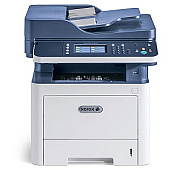
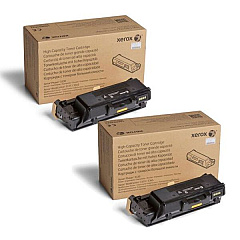
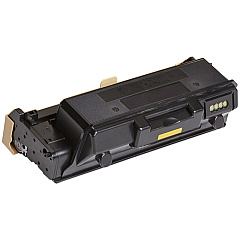
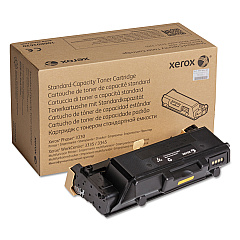
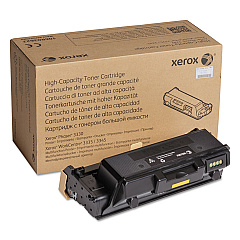
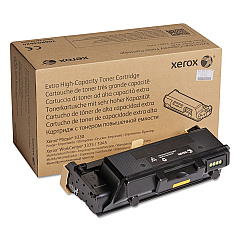
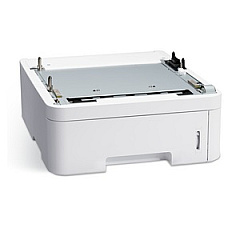









Xerox WorkCentre 3335 Black Toner Cartridges

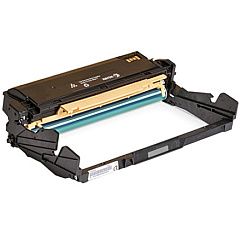
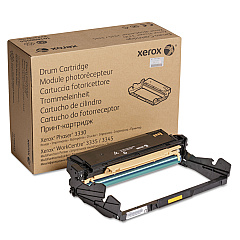
Xerox WorkCentre 3335 Drum Units

Xerox WorkCentre 3335 Paper Trays

Xerox WorkCentre 3335 Printer Accessories

Xerox WorkCentre 3335 Copy Paper

Xerox WorkCentre 3335 Warranty and Services

Enhance your printing efficiency with genuine Xerox WorkCentre 3335 Toner Cartridges and supplies. Our comprehensive range includes essential components like the 097N02254 Sheet Feeder and 101R00555 Drum Cartridge for optimal performance. Choose from various toner options, including the standard 106R03620, high-capacity 106R03622, and extra high-capacity 106R03624 Black Toner Cartridges to suit your printing needs. Upgrade your device's functionality with the MFP Card Reader or NFC Enablement Kit. For cost-effective bulk purchasing, consider our Xerox Phaser 3330, WorkCentre 3335/3345 Toner Bundle. Whether you're a small business, educational institution, or healthcare facility, our genuine Xerox supplies ensure consistent, high-quality prints while maximizing your WorkCentre 3335's lifespan and efficiency.

Xerox WorkCentre 3335 Toner Cartridges FAQs

  • What is the page yield of the Xerox 106R03624 Black Extra High Capacity Toner Cartridge?

    The Xerox 106R03624 Black Extra High Capacity Toner Cartridge has a page yield of approximately 15,000 pages at 5% coverage.

  • Are these toner cartridges compatible with other Xerox printers?

    These toner cartridges are specifically designed for the Xerox WorkCentre 3335 and may be compatible with some similar models. Always check your printer's compatibility before purchasing.

  • How often should I replace the Xerox 101R00555 Drum Cartridge?

    The Xerox 101R00555 Drum Cartridge typically needs replacement after approximately 30,000 pages, but this can vary based on usage and print conditions.

  • What's the difference between the standard, high-capacity, and extra high-capacity toner cartridges?

    The main difference is the page yield. Extra high-capacity cartridges offer the highest page yield, followed by high-capacity, and then standard cartridges.

  • Can I use third-party toner cartridges in my Xerox WorkCentre 3335?

    While third-party cartridges may work, using genuine Xerox toner cartridges ensures optimal print quality and prevents potential damage to your printer.

  • What is the purpose of the Xerox NFC Enablement Kit?

    The Xerox NFC Enablement Kit allows for easy and secure printing from NFC-enabled mobile devices by simply tapping them to the printer.

  • How do I install a new toner cartridge in my Xerox WorkCentre 3335?

    To install a new toner cartridge, open the front cover, remove the old cartridge, unpack the new one, shake it gently, and insert it into the printer until it clicks into place.

  • What's included in the Xerox Phaser 3330, WorkCentre 3335/3345 Toner Bundle?

    The bundle typically includes multiple toner cartridges compatible with these printer models, offering a cost-effective solution for high-volume printing environments.

  • How can I tell when it's time to replace my toner cartridge?

    Your printer will display a low toner warning. You may also notice a decrease in print quality or faded prints, indicating it's time for a replacement.

  • Are these supplies covered by a warranty?

    Yes, genuine Xerox supplies typically come with a warranty. Please check the specific product details or contact the seller for more information on warranty coverage.

Warehouse Locations

Policy & Agreement | Copyright © 1995-2026 BlueDogInk.com
