






Ads

Xerox WorkCentre 3225DNI Black Toner Cartridges

Xerox WorkCentre 3225DNI Toner Set

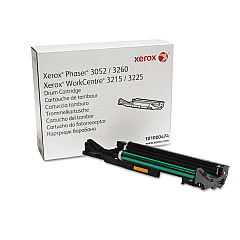
Xerox WorkCentre 3225DNI Drum Units

Xerox WorkCentre 3225DNI Warranty and Services

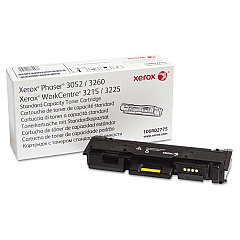
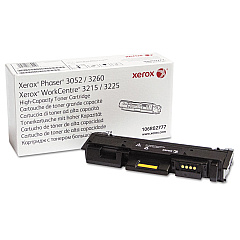
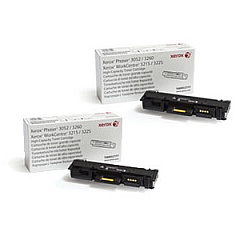
Enhance your printing experience with genuine Xerox WorkCentre 3225DNI Toner Cartridges. These high-quality supplies ensure optimal performance and crisp, professional results for your business, educational institution, government office, or healthcare facility. The Xerox 101R00474 Drum Cartridge delivers long-lasting reliability, while the Xerox 106R02775 and 106R02777 Black Toner Cartridges offer exceptional print quality and yield. For added convenience and cost-effectiveness, consider the Xerox 3215-3225-3260 Toner Bundle. These authentic Xerox supplies are designed to work seamlessly with your WorkCentre 3225DNI, maximizing efficiency and minimizing downtime. Whether you're printing important documents, reports, or presentations, trust Xerox WorkCentre 3225DNI Toner Cartridges to deliver consistent, high-quality output. Invest in genuine Xerox supplies to protect your printer and ensure the best possible results for all your printing needs.

Xerox WorkCentre 3225DNI Printers Supplies FAQs

  • What is the page yield for the Xerox 106R02777 Black Toner Cartridge?

    The Xerox 106R02777 Black Toner Cartridge has a page yield of approximately 3,000 pages at 5% coverage.

  • Are these toner cartridges compatible with other Xerox printers?

    These toner cartridges are specifically designed for the Xerox WorkCentre 3225DNI and may not be compatible with other Xerox printer models.

  • How often should I replace the Xerox 101R00474 Drum Cartridge?

    The Xerox 101R00474 Drum Cartridge typically needs replacement after approximately 10,000 pages, but this may vary depending on usage.

  • What's included in the Xerox 3215-3225-3260 Toner Bundle?

    The Xerox 3215-3225-3260 Toner Bundle typically includes multiple black toner cartridges compatible with the WorkCentre 3225DNI.

  • Can I use third-party toner cartridges with my Xerox WorkCentre 3225DNI?

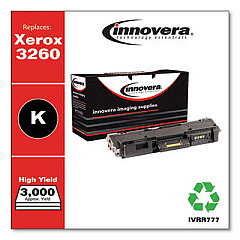
    While third-party cartridges may work, using genuine Xerox toner cartridges is recommended to ensure optimal print quality and protect your printer's warranty.

  • How do I install a new toner cartridge in my Xerox WorkCentre 3225DNI?

    To install a new toner cartridge, open the front cover, remove the old cartridge, unpack the new one, and insert it until it clicks into place. Then close the front cover.

  • What's the difference between the Xerox 106R02775 and 106R02777 Black Toner Cartridges?

    The main difference is the page yield. The 106R02777 is a high-capacity cartridge with a higher page yield compared to the standard 106R02775 cartridge.

  • How can I tell when it's time to replace my toner cartridge?

    Your printer will display a low toner warning when it's time to replace the cartridge. You may also notice a decrease in print quality.

  • Are these toner cartridges recyclable?

    Yes, Xerox offers a recycling program for used toner cartridges. Check the Xerox website for details on how to participate in their recycling initiative.

  • What should I do if I experience print quality issues with my new toner cartridge?

    If you experience print quality issues, try removing and reinserting the cartridge. If problems persist, check your printer settings or contact Xerox customer support for assistance.

Warehouse Locations

Policy & Agreement | Copyright © 1995-2026 BlueDogInk.com
