






Ads

Xerox VersaLink B7125 Black Toner Cartridges

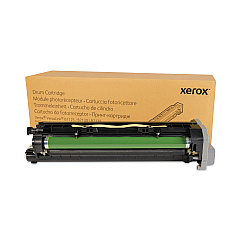
Xerox VersaLink B7125 Drum Units

Xerox VersaLink B7125 Fusers

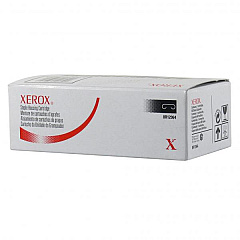
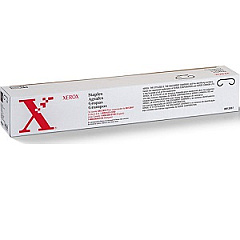
Xerox VersaLink B7125 Printer Staples

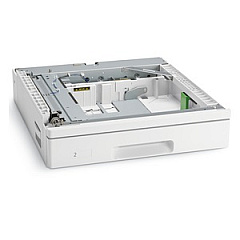
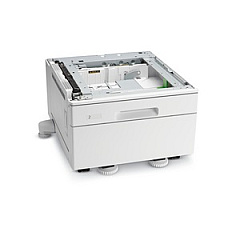
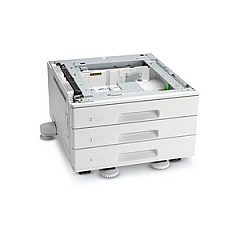
Xerox VersaLink B7125 Paper Trays

Enhance your printing experience with genuine Xerox VersaLink B7125 Toner Cartridges and supplies. This comprehensive range includes the high-capacity 006R01818 Black Toner Cartridge for extended print runs, multiple staple cartridge options (008R12897, 008R12941, 008R12964) for professional document finishing, and the 013R00687 Drum Unit for consistent image quality. Expand your paper handling capabilities with various paper tray options (097S04907, 097S04908, 097S04910) to suit your office needs. The 115R00114 Fuser Maintenance Kit ensures optimal performance and longevity of your printer. By choosing authentic Xerox supplies, you guarantee superior print quality, reliability, and efficiency for your VersaLink B7125 multifunction printer. Trust in Xerox to deliver exceptional results for all your business printing requirements.

Xerox VersaLink B7125 Toner Cartridges FAQs

  • What is the page yield of the Xerox 006R01818 Black High Capacity Toner Cartridge?

    The Xerox 006R01818 Black High Capacity Toner Cartridge typically yields around 30,000 pages at 5% coverage.

  • Are these toner cartridges compatible with other Xerox printers?

    These toner cartridges are specifically designed for the Xerox VersaLink B7125 and may not be compatible with other Xerox printer models.

  • How often should I replace the drum unit?

    The Xerox 013R00687 Drum Unit typically needs replacement after approximately 80,000 pages, but this can vary based on usage patterns.

  • What is the purpose of the fuser maintenance kit?

    The fuser maintenance kit (115R00114) helps maintain print quality and extends the life of your printer by replacing wear-prone components in the fuser assembly.

  • Can I use third-party toner cartridges in my Xerox VersaLink B7125?

    While third-party cartridges may work, using genuine Xerox toner cartridges ensures optimal print quality and prevents potential damage to your printer.

  • What is the difference between the various staple cartridges?

    The different staple cartridges (008R12897, 008R12941, 008R12964) are designed for specific finisher models and stapling capacities. Check your printer's configuration to determine the correct cartridge.

  • How do I install a new paper tray?

    Installation of additional paper trays (097S04907, 097S04908, 097S04910) is typically straightforward. Refer to the user manual or contact Xerox support for specific instructions for your model.

  • Are these supplies covered under my printer's warranty?

    Genuine Xerox supplies are typically covered under the printer's warranty. Using non-Xerox supplies may void your warranty.

  • How can I recycle used toner cartridges and other supplies?

    Xerox offers a free recycling program for used toner cartridges and supplies. Visit the Xerox website or contact your local Xerox representative for details.

  • What should I do if I experience print quality issues?

    If you experience print quality issues, first ensure you're using genuine Xerox supplies. If problems persist, consult the printer's troubleshooting guide or contact Xerox support for assistance.

Warehouse Locations

Policy & Agreement | Copyright © 1995-2026 BlueDogInk.com
