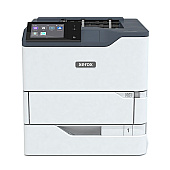
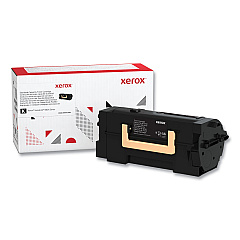
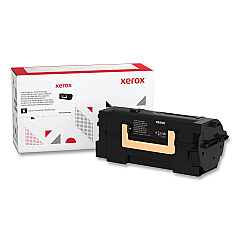
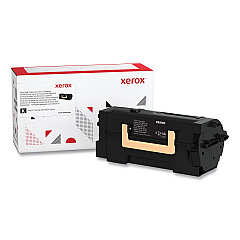
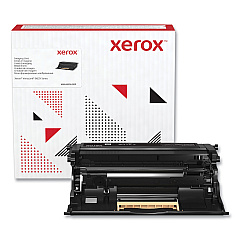






Xerox VersaLink B620 Black Toner Cartridges

Xerox VersaLink B620 Drum Units

Xerox VersaLink B620 Fusers

Enhance your printing efficiency with genuine Xerox VersaLink B620 Toner Cartridges. These high-quality supplies ensure optimal performance and crisp, professional output for your business needs. Choose from a range of options, including the standard 006R04668 Black Toner Cartridge, the 006R04669 High Yield Black Toner Cartridge for increased page yield, and the 006R04670 Extra High Yield Black Toner Cartridge for maximum productivity. To maintain peak performance, don't forget the 013R00699 Imaging Unit and 115R00163 Fuser Maintenance Kit. These authentic Xerox supplies are designed specifically for the VersaLink B620, guaranteeing compatibility and reliability. Whether you're printing important documents, reports, or marketing materials, these toner cartridges deliver consistent, high-quality results. Invest in genuine Xerox supplies to protect your printer and ensure uninterrupted productivity in your office or organization.

Xerox VersaLink B620/DN Toner Cartridges FAQs

  • What is the page yield for the standard Xerox 006R04668 Black Toner Cartridge?

    The standard Xerox 006R04668 Black Toner Cartridge typically yields around 10,300 pages.

  • How often should I replace the Xerox 013R00699 Imaging Unit?

    The Xerox 013R00699 Imaging Unit should be replaced approximately every 80,000 pages, depending on usage.

  • Can I use non-Xerox toner cartridges in my VersaLink B620 printer?

    While third-party cartridges may work, using genuine Xerox toner cartridges is recommended for optimal performance and to maintain your printer's warranty.

  • What's the difference between the high yield and extra high yield toner cartridges?

    The high yield cartridge (006R04669) offers a higher page yield than the standard cartridge, while the extra high yield cartridge (006R04670) provides the maximum page yield for fewer replacements.

  • How do I know when it's time to replace the fuser maintenance kit?

    Your printer will typically display a message when it's time to replace the fuser maintenance kit. It's generally recommended to replace it every 150,000 pages.

  • Are these toner cartridges compatible with other Xerox printer models?

    These specific toner cartridges are designed for the Xerox VersaLink B620 and may not be compatible with other models. Always check your printer's compatibility before purchasing.

  • How can I recycle used Xerox toner cartridges?

    Xerox offers a free recycling program for used toner cartridges. You can request a recycling kit or find a drop-off location on the Xerox website.

  • What's the shelf life of unopened Xerox toner cartridges?

    Unopened Xerox toner cartridges typically have a shelf life of about two years when stored in proper conditions (cool, dry place away from direct sunlight).

  • Can I use the same toner cartridge for color printing?

    No, these toner cartridges are designed for black and white printing only. The Xerox VersaLink B620 is a monochrome printer and does not support color printing.

  • How do I install a new toner cartridge in my Xerox VersaLink B620?

    To install a new toner cartridge, open the front cover, remove the old cartridge, shake the new cartridge, remove the protective cover, and insert it into the printer until it clicks into place. Close the front cover to complete the installation.

Warehouse Locations

Policy & Agreement | Copyright © 1995-2026 BlueDogInk.com
