











Ads

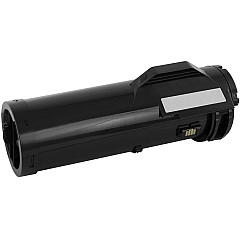
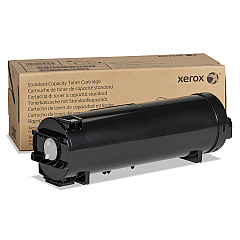
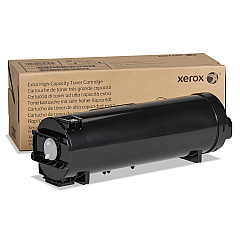
Xerox VersaLink B615 Black Toner Cartridges

Xerox VersaLink B615 Drum Units

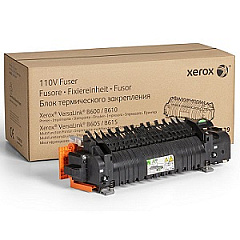
Xerox VersaLink B615 Fusers

Xerox VersaLink B615 Maintenance Kits

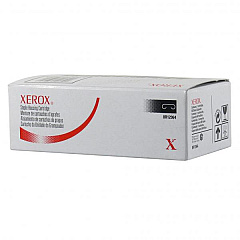
Xerox VersaLink B615 Printer Staples

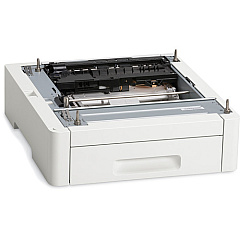
Xerox VersaLink B615 Paper Trays

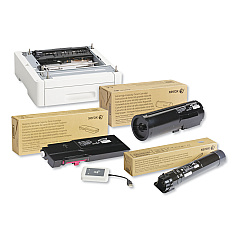
Xerox VersaLink B615 Printer Accessories

Xerox VersaLink B615 Printer Parts

Xerox VersaLink B615 Copy Paper

Xerox VersaLink B615 Warranty and Services

Enhance your office productivity with genuine Xerox VersaLink B615 Toner Cartridges and supplies. This comprehensive range includes essential components like staple cartridges, high-capacity feeders, paper trays, and finishers to streamline your workflow. The VersaLink B615 offers various toner options, from standard to extra high-capacity cartridges, ensuring optimal print quality and efficiency. Maintain peak performance with the drum cartridge, fuser, and maintenance kits. Upgrade your device's capabilities with the wireless network adapter, external card reader, and 4-bin mailbox. Whether you're in business, education, healthcare, or government sectors, these authentic Xerox supplies guarantee reliable, high-quality output for all your printing needs. Choose Xerox VersaLink B615 Toner Cartridges and accessories for unparalleled performance and longevity in your office equipment.

Xerox VersaLink B615 Toner Cartridges FAQs

  • What is the yield of the extra high-capacity black toner cartridge for the Xerox VersaLink B615?

    The Xerox 106R03944 Extra High Capacity Black Toner Cartridge has a yield of approximately 46,700 pages.

  • How often should I replace the drum cartridge in my Xerox VersaLink B615?

    The Xerox 101R00582 Drum Cartridge typically needs replacement after approximately 60,000 pages.

  • Can I use third-party toner cartridges in my Xerox VersaLink B615?

    While third-party cartridges may work, using genuine Xerox toner cartridges is recommended for optimal print quality and to maintain your printer's warranty.

  • What is the purpose of the Xerox 4-Bin Mailbox (097S04953)?

    The 4-Bin Mailbox allows for sorting and organizing printed documents into separate bins, ideal for multi-user environments or separating different types of print jobs.

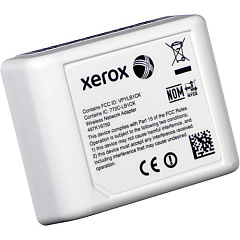
  • How do I install the Xerox 497K16750 Wireless Network Adapter?

    The wireless network adapter can be easily installed by following the instructions in the user manual. Generally, it involves plugging the adapter into a designated port on the printer and configuring it through the printer's settings menu.

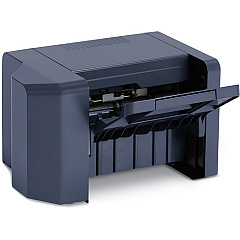
  • What is the function of the Xerox 097S04952 Finisher?

    The finisher adds professional finishing options to your prints, such as stapling and hole punching, enhancing the overall presentation of your documents.

  • How often should I replace the Paper Tray Feed Roller Kit?

    The Xerox 116R00010 Paper Tray Feed Roller Kit should be replaced approximately every 300,000 pages to ensure smooth paper feeding and prevent paper jams.

  • What is the purpose of the Xerox External Card Reader w/ RFID (497K18380)?

    The external card reader allows for secure printing and access control by requiring users to swipe an RFID card before releasing print jobs or accessing certain printer functions.

  • Can the Xerox VersaLink B615 use different paper sizes?

    Yes, the VersaLink B615 supports various paper sizes. The Xerox 097S04949 Paper Tray can be adjusted to accommodate different paper sizes for versatile printing needs.

  • What is the benefit of using the Xerox 097S04948 High Capacity Feeder?

    The high capacity feeder increases the printer's paper capacity, reducing the frequency of paper refills and improving overall productivity, especially for high-volume printing environments.

Warehouse Locations

Policy & Agreement | Copyright © 1995-2026 BlueDogInk.com
