





Ads

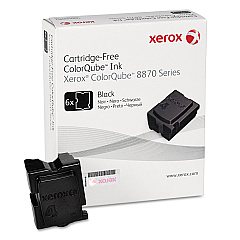
Xerox Phaser 8870 Black Ink Cartridges

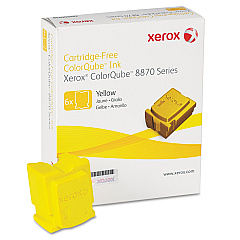
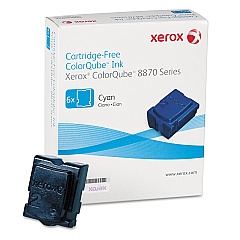
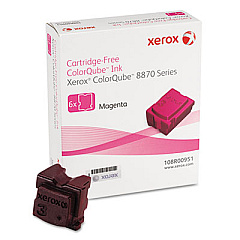
Xerox Phaser 8870 Color Ink Cartridges

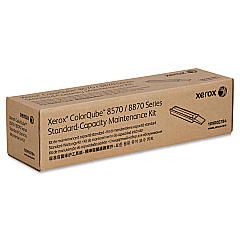
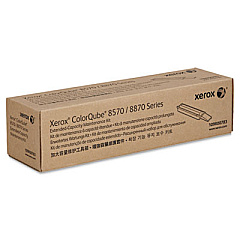
Xerox Phaser 8870 Maintenance Kits

Enhance your printing experience with genuine Xerox Phaser 8870 Ink Cartridges. These high-quality supplies ensure optimal performance and vibrant output for your Xerox Phaser 8870 printer. Choose from a range of color options, including Cyan (108R00950), Magenta (108R00951), Yellow (108R00952), and Black (108R00953) ink sticks. Each cartridge is designed to deliver consistent, professional-grade results for all your printing needs. For ongoing maintenance, the 109R00783 and 109R00784 Maintenance Kits keep your printer running smoothly. Whether you're printing important business documents, educational materials, or healthcare reports, these Xerox Phaser 8870 Ink Cartridges provide the reliability and quality you expect from Xerox. Trust in the superior performance of genuine Xerox supplies to maximize your printer's potential and produce stunning, long-lasting prints that make a lasting impression.

Xerox Phaser 8870 Ink Cartridges FAQs

  • How long do Xerox Phaser 8870 Ink Cartridges typically last?

    The lifespan of these cartridges varies depending on usage, but they generally yield around 17,000 pages for color sticks and 16,000 pages for black sticks.

  • Are these ink cartridges compatible with other Xerox printer models?

    No, these ink cartridges are specifically designed for the Xerox Phaser 8870 printer model and may not be compatible with other Xerox printers.

  • How often should I replace the maintenance kit?

    The maintenance kit should typically be replaced after every 30,000 prints or as recommended by your printer's maintenance schedule.

  • Can I use third-party ink cartridges in my Xerox Phaser 8870?

    While third-party cartridges may work, using genuine Xerox cartridges ensures optimal print quality and prevents potential damage to your printer.

  • What's the difference between the 109R00783 and 109R00784 Maintenance Kits?

    The 109R00783 is the standard maintenance kit, while the 109R00784 is an extended maintenance kit for higher volume printing environments.

  • How do I install the ink sticks in my Xerox Phaser 8870?

    Open the ink loader cover, insert the ink stick into the correct color-coded slot, and gently push it forward until it stops. Close the cover to complete installation.

  • Are these ink cartridges environmentally friendly?

    Yes, Xerox designs their ink cartridges with environmental sustainability in mind, using recyclable materials and offering recycling programs for used cartridges.

  • Can I mix different brands of ink sticks in my Xerox Phaser 8870?

    It's not recommended to mix different brands of ink sticks, as this may affect print quality and potentially damage your printer.

  • How should I store unused ink sticks?

    Store unused ink sticks in a cool, dry place away from direct sunlight. Keep them in their original packaging until ready for use.

  • What should I do if my prints appear faded or streaky?

    First, check if you need to replace any ink sticks. If the issue persists, run a print head cleaning cycle or consider replacing the maintenance kit.

Warehouse Locations

Policy & Agreement | Copyright © 1995-2026 BlueDogInk.com
