






Ads

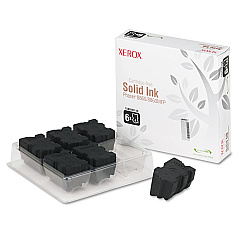
Xerox Phaser 8860MFPD Black Ink Cartridges

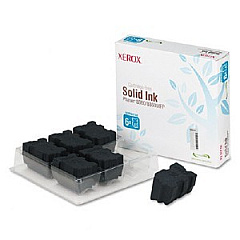
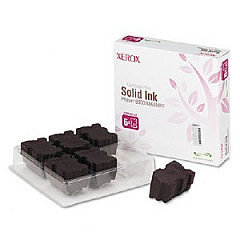
Xerox Phaser 8860MFPD Color Ink Cartridges

Xerox Phaser 8860MFPD Waste Toner Kits

Xerox Phaser 8860MFPD Maintenance Kits

Xerox Phaser 8860MFPD Copy Paper

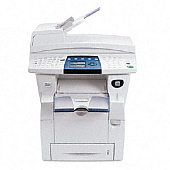
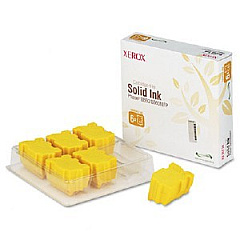
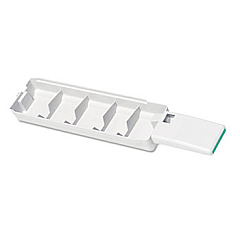
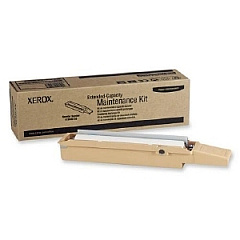
Enhance your printing experience with genuine Xerox Phaser 8860MFPD Ink Cartridges. This high-performance multifunction printer demands top-quality supplies to deliver exceptional results. Our range includes Xerox 108R00746 Cyan, 108R00747 Magenta, 108R00748 Yellow, and 108R00749 Black Solid Ink cartridges, ensuring vibrant, long-lasting prints. For optimal maintenance, we offer the Xerox 109R00754 Waste Tray and 113R00736 Maintenance Kit. These authentic Xerox supplies are designed to maximize your printer's efficiency, producing crisp text and vivid images while minimizing downtime. Whether you're printing important business documents or colorful presentations, trust our Xerox Phaser 8860MFPD Ink Cartridges to deliver professional-quality output every time. Invest in reliability and superior print quality with our comprehensive selection of Xerox supplies, tailored for your 8860MFPD printer.

Xerox Phaser 8860MFPD Toner Cartridges FAQs

  • How long do Xerox Phaser 8860MFPD ink cartridges typically last?

    The lifespan of ink cartridges varies depending on usage, but on average, each color cartridge yields about 14,000 pages, while the black cartridge yields about 14,000 pages.

  • Are these ink cartridges compatible with other Xerox printer models?

    These specific ink cartridges are designed for the Xerox Phaser 8860MFPD and may not be compatible with other models. Always check your printer's compatibility before purchasing.

  • How often should I replace the waste tray?

    The waste tray should be replaced when indicated by your printer, typically after processing about 30,000 pages.

  • What's included in the maintenance kit?

    The Xerox 113R00736 Maintenance Kit typically includes items like feed rollers, transfer roller, and fuser unit to keep your printer running smoothly.

  • Can I use third-party ink cartridges in my Xerox Phaser 8860MFPD?

    While third-party cartridges may work, using genuine Xerox supplies ensures optimal print quality and prevents potential damage to your printer.

  • How do I install new ink cartridges in the Xerox Phaser 8860MFPD?

    To install new cartridges, open the front cover, remove the old cartridge, and insert the new one until it clicks into place. Close the cover to complete installation.

  • Are these solid ink cartridges environmentally friendly?

    Yes, Xerox solid ink cartridges are designed to be more environmentally friendly, producing less waste compared to traditional toner cartridges.

  • How should I store unused ink cartridges?

    Store unused cartridges in a cool, dry place away from direct sunlight. Keep them in their original packaging until ready for use.

  • Can I recycle used Xerox ink cartridges?

    Yes, Xerox offers a recycling program for used cartridges. Check their website or contact customer support for details on how to participate.

  • What should I do if my prints appear faded or streaky?

    If prints appear faded or streaky, try cleaning the print head. If the issue persists, you may need to replace one or more ink cartridges or perform printer maintenance.

Warehouse Locations

Policy & Agreement | Copyright © 1995-2026 BlueDogInk.com
