








Ads

Xerox Phaser 8860 Black Ink Cartridges

Xerox Phaser 8860 Color Ink Cartridges

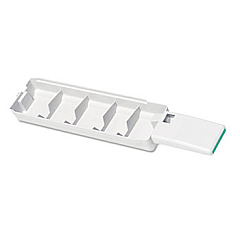
Xerox Phaser 8860 Waste Toner Kits

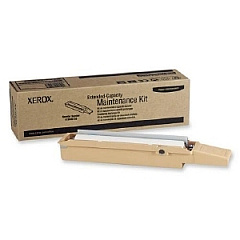
Xerox Phaser 8860 Maintenance Kits

Xerox Phaser 8860 Printer Accessories

Xerox Phaser 8860 Printer Parts

Xerox Phaser 8860 Copy Paper

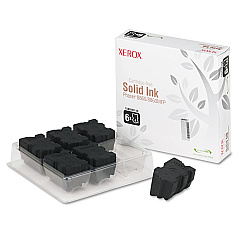
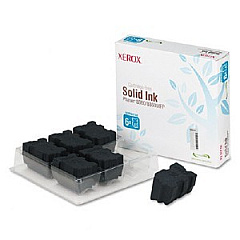
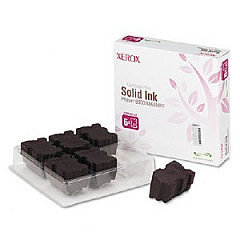
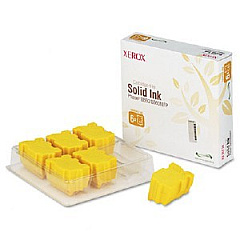
Enhance your printing experience with genuine Xerox Phaser 8860 Ink Cartridges. This high-performance printer utilizes a range of solid ink cartridges, including cyan, magenta, yellow, and black, to produce vibrant, professional-quality prints. The Xerox Phaser 8860 also requires essential maintenance components such as the waste tray, maintenance kit, and cleaning kit to ensure optimal performance. For added convenience, consider the printer cart with storage capacity. These authentic Xerox supplies are designed to work seamlessly with your Phaser 8860, delivering consistent, high-quality results for all your printing needs. Whether you're printing business documents, marketing materials, or colorful presentations, trust Xerox Phaser 8860 Ink Cartridges to provide exceptional output and reliability. Maximize your printer's potential and maintain its longevity with these genuine Xerox supplies.

Xerox Phaser 8860 Printers Supplies FAQs

  • How long do Xerox Phaser 8860 ink cartridges typically last?

    The lifespan of ink cartridges varies depending on usage, but on average, they can print approximately 14,000 pages for color cartridges and 14,000 pages for black cartridges.

  • Are these ink cartridges compatible with other Xerox printers?

    No, these ink cartridges are specifically designed for the Xerox Phaser 8860 printer and may not be compatible with other models.

  • How often should I replace the waste tray?

    The waste tray should be replaced when indicated by the printer, typically after approximately 30,000 prints.

  • What is included in the Xerox Cleaning Kit?

    The Xerox Cleaning Kit includes 5 alcohol wipes and instructions for proper cleaning of the printer.

  • Can I use third-party ink cartridges in my Xerox Phaser 8860?

    While third-party cartridges may work, using genuine Xerox cartridges ensures optimal print quality and prevents potential damage to your printer.

  • How often should I perform maintenance on my Xerox Phaser 8860?

    Regular maintenance should be performed as recommended by the printer's manual, typically every 30,000 to 60,000 prints or when prompted by the printer.

  • What is the purpose of the printer cart with storage capacity?

    The printer cart provides a stable platform for your printer and offers additional storage space for supplies and paper.

  • Are these solid ink cartridges environmentally friendly?

    Yes, Xerox solid ink cartridges produce less waste compared to traditional toner cartridges and are designed with environmental sustainability in mind.

  • How do I install new ink cartridges in my Xerox Phaser 8860?

    To install new cartridges, open the front cover, remove the old cartridges, and insert the new ones into their corresponding color-coded slots until they click into place.

  • What should I do if my prints appear faded or have streaks?

    If you experience print quality issues, first try cleaning the print head using the printer's built-in cleaning function. If the problem persists, you may need to replace the ink cartridges or perform maintenance using the Xerox Maintenance Kit.

Warehouse Locations

Policy & Agreement | Copyright © 1995-2026 BlueDogInk.com
