





Ads

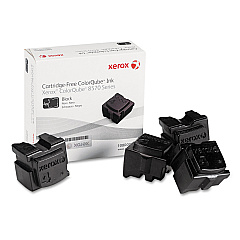
Xerox Phaser 8570 Black Ink Cartridges

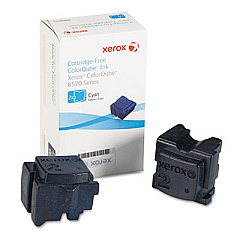
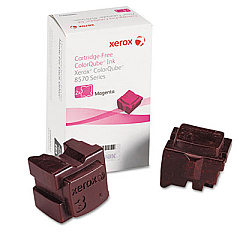
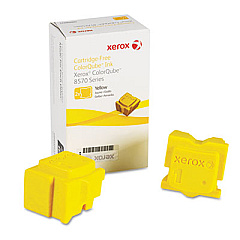
Xerox Phaser 8570 Color Ink Cartridges

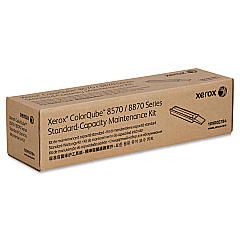
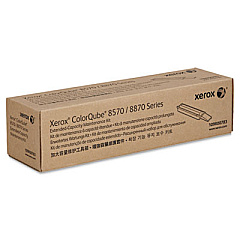
Xerox Phaser 8570 Maintenance Kits

Enhance your printing experience with genuine Xerox Phaser 8570 Ink Cartridges. These high-quality supplies ensure optimal performance and vibrant output for your Xerox Phaser 8570 printer. Choose from a range of color options, including Cyan (108R00926), Magenta (108R00927), Yellow (108R00928), and Black (108R00930) ink sticks. Each cartridge is designed to deliver consistent, professional-grade results for all your printing needs. To maintain peak performance, consider the Xerox 109R00783 and 109R00784 Maintenance Kits, which help extend the life of your printer. Whether you're printing important business documents, educational materials, or healthcare records, these Xerox Phaser 8570 Ink Cartridges provide the reliability and quality you need. Trust in Xerox's commitment to excellence and keep your printer running smoothly with these genuine supplies.

Xerox Phaser 8570 Ink Cartridges FAQs

  • How long do Xerox Phaser 8570 Ink Cartridges typically last?

    The lifespan of ink cartridges varies depending on usage, but on average, they can print between 6,800 to 9,000 pages per cartridge.

  • Are these ink cartridges compatible with other Xerox printer models?

    These specific ink cartridges are designed for the Xerox Phaser 8570 printer. Always check your printer's compatibility before purchasing.

  • What's the difference between ink sticks and traditional ink cartridges?

    Ink sticks are solid ink blocks that melt during the printing process, while traditional cartridges contain liquid ink. Ink sticks are often more eco-friendly and cost-effective.

  • How often should I replace the maintenance kit?

    Maintenance kits should typically be replaced every 10,000 to 30,000 pages, depending on your printer's usage and the specific kit model.

  • Can I use third-party ink cartridges with my Xerox Phaser 8570?

    While third-party cartridges may work, using genuine Xerox supplies ensures optimal print quality and prevents potential damage to your printer.

  • How do I install the ink sticks in my Xerox Phaser 8570?

    Open the ink loader cover, insert the ink stick into the correct color-coded slot, and gently push it forward until it stops. Close the cover to complete installation.

  • What's included in the maintenance kit?

    Maintenance kits typically include items such as a fuser, transfer roller, and feed rollers to keep your printer functioning optimally.

  • How can I tell when it's time to replace my ink cartridges?

    Your printer will display a low ink warning on its control panel. You may also notice a decrease in print quality as the ink levels get low.

  • Are these ink cartridges environmentally friendly?

    Xerox ink sticks produce less waste compared to traditional cartridges. Xerox also offers a recycling program for used cartridges and packaging.

  • What's the shelf life of unopened Xerox Phaser 8570 Ink Cartridges?

    Unopened ink cartridges typically have a shelf life of 1-2 years. Always store them in a cool, dry place to maintain their quality.

Warehouse Locations

Policy & Agreement | Copyright © 1995-2026 BlueDogInk.com
