







Ads

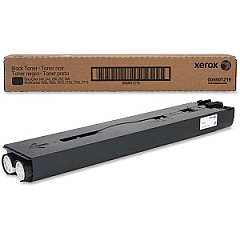
Xerox DocuColor 240 Black Toner Cartridges

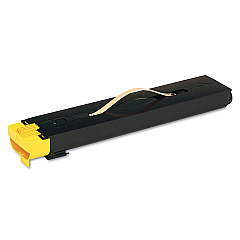
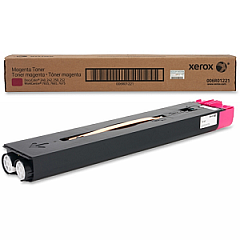
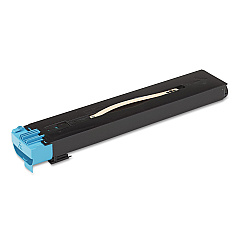
Xerox DocuColor 240 Color Toner Cartridges

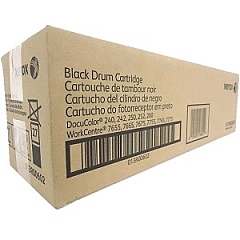
Xerox DocuColor 240 Drum Units

Xerox DocuColor 240 Waste Toner Kits

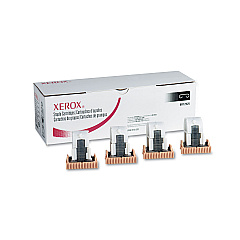
Xerox DocuColor 240 Printer Staples

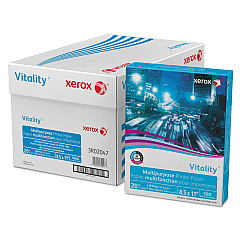
Xerox DocuColor 240 Copy Paper

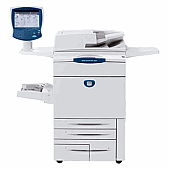
Enhance your printing experience with genuine Xerox DocuColor 240 Toner Cartridges. These high-quality supplies ensure optimal performance and stunning color output for your Xerox DocuColor 240 printer. The comprehensive range includes black, yellow, magenta, and cyan toner cartridges (006R01219, 006R01220, 006R01221, 006R01222), as well as staple cartridges (008R12925, 008R12941) for professional finishing. The 008R12990 waste toner container efficiently manages excess toner, while the 013R00602 black drum and 013R00603 color drum cartridges deliver crisp, clear images. By using authentic Xerox supplies, you'll maximize print quality, minimize downtime, and extend the life of your printer. Whether you're producing vibrant marketing materials, detailed reports, or eye-catching presentations, Xerox DocuColor 240 Toner Cartridges provide the reliability and performance you need for all your printing tasks.

Xerox DocuColor 240 Toner Cartridges FAQs

  • How often should I replace the toner cartridges in my Xerox DocuColor 240?

    Replacement frequency depends on usage, but typically when print quality diminishes or the printer indicates low toner levels.

  • Are compatible toner cartridges available for the Xerox DocuColor 240?

    While compatible options exist, using genuine Xerox cartridges ensures optimal print quality and printer performance.

  • How do I install a new toner cartridge in the Xerox DocuColor 240?

    Open the front panel, remove the old cartridge, and insert the new one until it clicks into place. Follow the printer's on-screen instructions for any additional steps.

  • What's the difference between the black drum cartridge and the color drum cartridge?

    The black drum cartridge (013R00602) is used for black printing, while the color drum cartridge (013R00603) is used for cyan, magenta, and yellow printing.

  • How often should I replace the waste toner container?

    Replace the waste toner container (008R12990) when prompted by the printer or when it's full to prevent toner leaks and maintain print quality.

  • Can I recycle used Xerox DocuColor 240 toner cartridges?

    Yes, Xerox offers a recycling program for used cartridges. Visit their website or contact customer support for details on how to participate.

  • What's the page yield for Xerox DocuColor 240 toner cartridges?

    Page yield varies by cartridge and usage, but typically ranges from 30,000 to 34,000 pages for color cartridges and up to 50,000 pages for black.

  • Are the staple cartridges necessary for all print jobs?

    No, staple cartridges (008R12925, 008R12941) are only needed if you're using the printer's finishing options for stapling documents.

  • How can I extend the life of my Xerox DocuColor 240 toner cartridges?

    Use draft mode for internal documents, print in black and white when color isn't necessary, and keep the printer in a clean, dry environment.

  • What should I do if I experience print quality issues with new toner cartridges?

    First, ensure the cartridges are properly installed. If issues persist, run the printer's cleaning cycle or contact Xerox support for assistance.

Warehouse Locations

Policy & Agreement | Copyright © 1995-2026 BlueDogInk.com
