





Xerox Colorqube 9202 Multifunction Printers Supplies

Ads

Xerox Colorqube 9202 Black Ink Cartridges

Xerox Colorqube 9202 Color Ink Cartridges

Xerox Colorqube 9202 Printer Staples

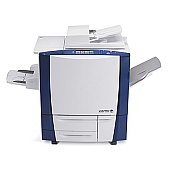
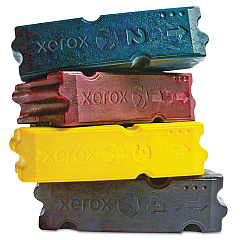
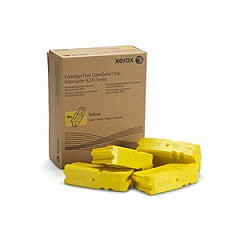
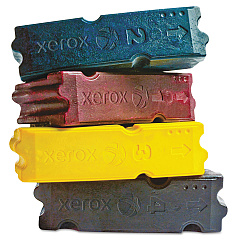
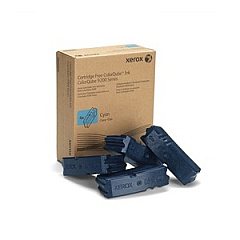
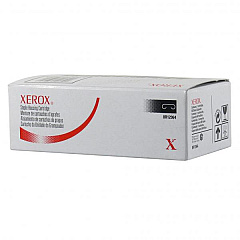
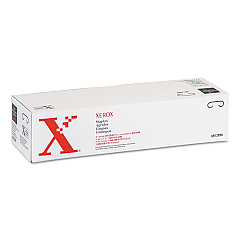
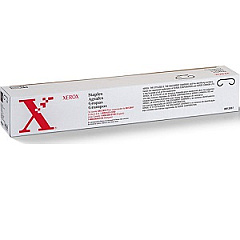
Enhance your printing experience with genuine Xerox Colorqube 9202 Ink Cartridges. This high-performance multifunction printer delivers exceptional color quality and cost-effective printing for businesses, schools, and healthcare facilities. The Colorqube 9202 utilizes a range of supplies, including staple cartridges (008R12897, 008R12898, 008R12941, 008R12964) for professional document finishing. For vibrant, long-lasting prints, choose from cyan (108R00829), magenta (108R00830), yellow (108R00831), and black (108R00832) solid ink sticks. These eco-friendly solid inks produce less waste compared to traditional toner cartridges, making them an excellent choice for environmentally conscious organizations. With Xerox Colorqube 9202 Ink Cartridges, you'll achieve consistent, high-quality results while maximizing productivity and minimizing downtime. Trust in Xerox's innovative technology to meet your demanding printing needs efficiently and cost-effectively.

Xerox Colorqube 9202 Multifunction Printers Supplies FAQs

  • What is the page yield for Xerox Colorqube 9202 Ink Cartridges?

    Page yield varies depending on the specific ink color and print coverage. For accurate yield information, please refer to the product specifications on the Xerox website.

  • Are these ink cartridges compatible with other Xerox printers?

    These ink cartridges are specifically designed for the Xerox Colorqube 9202. Always check your printer's compatibility before purchasing supplies.

  • How often do I need to replace the staple cartridges?

    Staple cartridge replacement frequency depends on usage. Monitor your printer's status indicators or check the staple level in the printer settings to determine when replacement is necessary.

  • Can I use third-party ink cartridges with the Xerox Colorqube 9202?

    While third-party options may be available, using genuine Xerox supplies ensures optimal print quality and printer performance. Using non-Xerox supplies may void your warranty.

  • How do I install the solid ink sticks?

    To install solid ink sticks, open the ink loader cover, insert the ink stick into the correct color-coded slot, and push it gently until it stops. Close the cover to complete the installation.

  • Are these solid inks environmentally friendly?

    Yes, Xerox solid inks are more environmentally friendly than traditional toner cartridges. They produce less waste and have a smaller carbon footprint.

  • How long do unopened ink cartridges last?

    Unopened Xerox ink cartridges typically have a shelf life of two years from the date of manufacture when stored properly in a cool, dry place.

  • Can I recycle used Xerox Colorqube 9202 Ink Cartridges?

    Yes, Xerox offers a recycling program for used ink cartridges and other supplies. Visit the Xerox website for information on their Green World Alliance recycling program.

  • What should I do if I experience print quality issues?

    If you experience print quality issues, first ensure you're using genuine Xerox supplies. Clean the print head, check for software updates, and consult the printer's user manual for troubleshooting steps.

  • Do these ink cartridges come with a warranty?

    Yes, genuine Xerox supplies come with a warranty against defects in materials and workmanship. Check the Xerox website or product packaging for specific warranty details.

Warehouse Locations

Policy & Agreement | Copyright © 1995-2026 BlueDogInk.com
