




Ads

Unisys AP 1337 Dot Matrix Ribbon

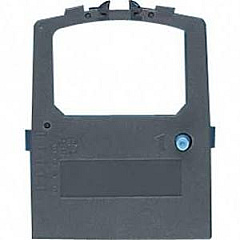
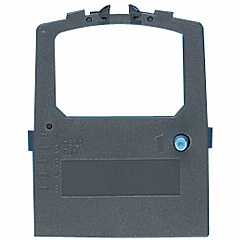
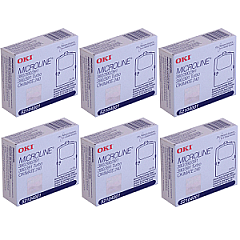
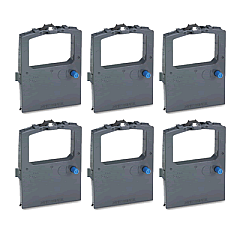
Ensure uninterrupted printing with high-quality Unisys AP 1337 Impact Printers Supplies. These reliable consumables are designed specifically for the Unisys AP 1337 printer, guaranteeing optimal performance and crisp, clear output. The Okidata 52104001 Black Ribbon Cartridge is a key component, offering long-lasting print capacity and consistent results. For bulk printing needs, consider the Okidata 52104001 Ribbon Cartridge Pack, which provides multiple cartridges for extended use. These supplies are perfect for businesses, educational institutions, government offices, and healthcare facilities that rely on dependable, high-volume printing. By choosing genuine Unisys AP 1337 Impact Printers Supplies, you'll maximize your printer's efficiency and minimize downtime. Whether you're printing invoices, reports, or official documents, these supplies ensure professional-quality results every time. Invest in the right supplies to keep your Unisys AP 1337 Impact Printer running smoothly and efficiently.

Unisys AP 1337 Impact Printers Supplies FAQs

  • What types of supplies are available for the Unisys AP 1337 Impact Printer?

    The main supplies available are the Okidata 52104001 Black Ribbon Cartridge and the Okidata 52104001 Ribbon Cartridge Pack.

  • How long does a single Okidata 52104001 Black Ribbon Cartridge last?

    The lifespan of a cartridge depends on print volume and content, but it typically lasts for several thousand pages.

  • Are these supplies compatible with other printer models?

    These supplies are specifically designed for the Unisys AP 1337 Impact Printer and may not be compatible with other models.

  • How many cartridges are included in the Okidata 52104001 Ribbon Cartridge Pack?

    The exact number may vary, but typically a pack contains multiple cartridges for extended use.

  • Can I use third-party ribbon cartridges with my Unisys AP 1337 Impact Printer?

    While third-party options may exist, using genuine Unisys supplies ensures optimal performance and prevents potential damage to your printer.

  • How do I install a new ribbon cartridge in my Unisys AP 1337 Impact Printer?

    Consult your printer's user manual for specific instructions, but generally, it involves opening the printer cover, removing the old cartridge, and snapping the new one into place.

  • What should I do if my prints become faint or streaky?

    This is often a sign that your ribbon cartridge needs replacement. Install a new Okidata 52104001 Black Ribbon Cartridge to restore print quality.

  • Are these supplies environmentally friendly?

    While specific environmental certifications may vary, Unisys and Okidata generally strive to produce supplies that minimize environmental impact.

  • How should I store unused ribbon cartridges?

    Store cartridges in a cool, dry place away from direct sunlight. Keep them in their original packaging until ready for use.

  • Can I recycle used Unisys AP 1337 Impact Printers Supplies?

    Many office supply stores and electronics retailers offer recycling programs for printer supplies. Check with local recycling centers or the manufacturer for specific recycling options.

Warehouse Locations

Policy & Agreement | Copyright © 1995-2026 BlueDogInk.com
