





Troy M605n Mono Laser MICR Secure Printer Printers Supplies

Ads

Troy M605n Mono Laser MICR Secure Printer Black Toner Cartridges

Troy M605n Mono Laser MICR Secure Printer Printer Accessories

Troy M605n Mono Laser MICR Secure Printer Warranty and Services

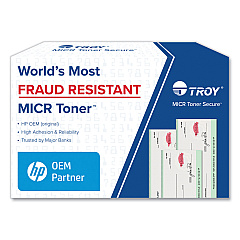
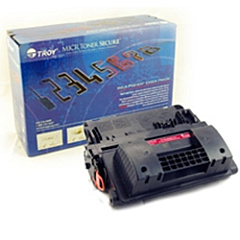
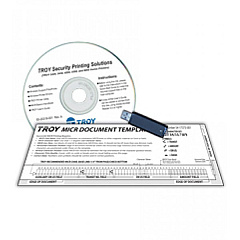
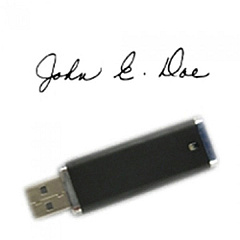
Enhance your secure printing capabilities with Troy M605n Mono Laser MICR Secure Printer Toner Cartridges. This advanced printer system offers a range of high-quality toner cartridges and accessories to meet your specialized printing needs. The TROY 02-23040-001 MICR Font Memory Kit and 02-23095-001 Signature/Logo Serial Bus Kit provide essential functionality for secure document processing. Choose between the Troy 02-82020-001 and 02-82021-001 MICR Toner Cartridges for precise magnetic ink character recognition printing. For standard black printing, the TROY 02-82024-001 and 02-82025-001 Black Toner Cartridges deliver crisp, professional results. These cartridges are designed to work seamlessly with the Troy M605n printer, ensuring optimal performance and security for businesses, financial institutions, and organizations requiring top-tier document protection. Invest in genuine Troy supplies to maintain the integrity and efficiency of your secure printing operations.

Troy M605n Mono Laser MICR Secure Printer Printers Supplies FAQs

  • What is MICR printing?

    MICR (Magnetic Ink Character Recognition) printing uses special toner containing magnetic particles, allowing for secure and machine-readable printing of sensitive documents like checks.

  • Are these toner cartridges compatible with other printers?

    These cartridges are specifically designed for the Troy M605n Mono Laser MICR Secure Printer and may not be compatible with other printer models.

  • What is the difference between MICR and standard black toner cartridges?

    MICR toner cartridges contain magnetic particles for secure document printing, while standard black toner cartridges are used for regular text and image printing.

  • How long do these toner cartridges typically last?

    The lifespan of toner cartridges varies depending on usage, but they generally last for several thousand pages. Refer to the specific cartridge specifications for estimated page yields.

  • Can I use third-party toner cartridges with this printer?

    It is recommended to use genuine Troy toner cartridges to ensure optimal performance, print quality, and security features of your Troy M605n printer.

  • What is the purpose of the MICR Font Memory Kit?

    The MICR Font Memory Kit provides the necessary fonts and characters required for printing MICR-encoded documents, such as checks and other secure financial documents.

  • How does the Signature/Logo Serial Bus Kit work?

    The Signature/Logo Serial Bus Kit allows you to store and print authorized signatures and logos on secure documents, enhancing document authenticity and security.

  • Are these toner cartridges environmentally friendly?

    Troy toner cartridges are designed with environmental considerations in mind. Many components are recyclable, and Troy offers recycling programs for used cartridges.

  • How do I install a new toner cartridge in the Troy M605n printer?

    Installation is typically straightforward. Open the printer's front cover, remove the old cartridge, and insert the new one until it clicks into place. Refer to the printer's manual for detailed instructions.

  • What should I do if I experience print quality issues with these cartridges?

    If you experience print quality issues, first ensure the cartridge is properly installed. If problems persist, try printing a test page or cleaning the printer. If issues continue, contact Troy customer support for assistance.

Warehouse Locations

Policy & Agreement | Copyright © 1995-2026 BlueDogInk.com
