










Ads

Toshiba e-STUDIO5540C Black Toner Cartridges

Toshiba e-STUDIO5540C Color Toner Cartridges

Toshiba e-STUDIO5540C Waste Toner Kits

Toshiba e-STUDIO5540C Maintenance Kits

Toshiba e-STUDIO5540C Copy Paper

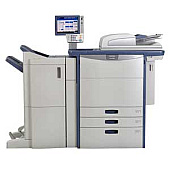
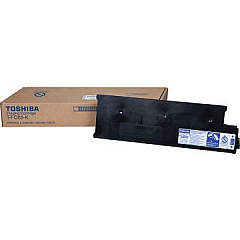
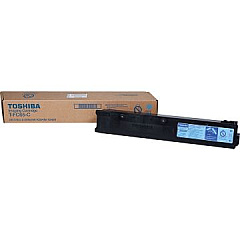
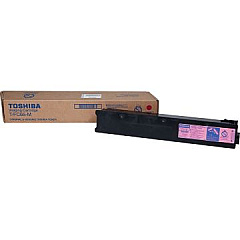
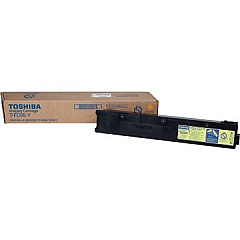
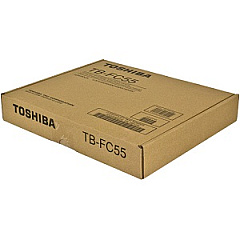
Enhance your printing efficiency with genuine Toshiba e-STUDIO5540C Toner Cartridges and supplies. This comprehensive range includes the Toshiba 6LA06886000 Feed Roller Kit for smooth paper handling, and the TBFC55 Waste Toner Container for proper disposal of used toner. For vibrant color output, rely on the TFC65C Cyan, TFC65M Magenta, and TFC65Y Yellow Toner Cartridges. The TFC65K Black Toner Cartridge ensures crisp text and sharp monochrome images. These high-quality consumables are designed specifically for the Toshiba e-STUDIO5540C, guaranteeing optimal performance and longevity. Whether you're printing business documents, marketing materials, or detailed reports, these Toshiba e-STUDIO5540C Toner Cartridges deliver exceptional results. Invest in genuine Toshiba supplies to maintain your printer's efficiency and produce professional-grade prints consistently.

Toshiba e-STUDIO5540C Toner Cartridges FAQs

  • How often should I replace the Toshiba e-STUDIO5540C toner cartridges?

    Replacement frequency depends on usage, but typically when print quality diminishes or the printer indicates low toner levels.

  • Are these toner cartridges compatible with other Toshiba models?

    These cartridges are specifically designed for the Toshiba e-STUDIO5540C. Always check your printer's manual for compatibility.

  • What is the page yield for each toner cartridge?

    Page yields vary by cartridge color and usage. Check the product specifications for exact yields.

  • How do I install the new toner cartridges?

    Refer to your printer's manual for step-by-step instructions on replacing toner cartridges safely and correctly.

  • Can I use third-party toner cartridges in my Toshiba e-STUDIO5540C?

    While third-party options exist, using genuine Toshiba cartridges ensures optimal print quality and prevents potential damage to your printer.

  • How should I store unused toner cartridges?

    Store cartridges in a cool, dry place away from direct sunlight. Keep them in their original packaging until ready for use.

  • What is the purpose of the Waste Toner Container?

    The Waste Toner Container collects excess toner during printing. Replace it when full to maintain print quality and prevent leaks.

  • How often should the Feed Roller Kit be replaced?

    Replace the Feed Roller Kit as recommended in your printer's maintenance schedule or when experiencing paper feed issues.

  • Are these toner cartridges environmentally friendly?

    Toshiba designs its cartridges with environmental considerations. Check Toshiba's website for specific recycling programs.

  • What should I do if I experience print quality issues after installing new cartridges?

    First, ensure the cartridges are properly installed. If issues persist, run your printer's cleaning and alignment processes or contact Toshiba support.

Warehouse Locations

Policy & Agreement | Copyright © 1995-2026 BlueDogInk.com
