




Ads

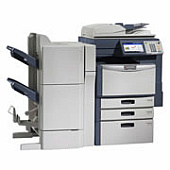
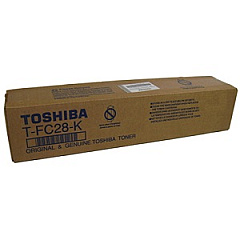
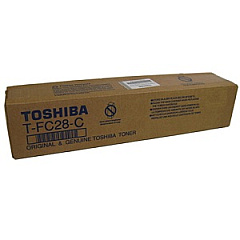
Toshiba E Studio 2830C Black Toner Cartridges

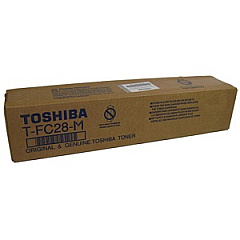
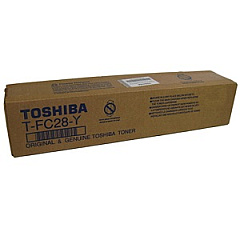
Toshiba E Studio 2830C Color Toner Cartridges

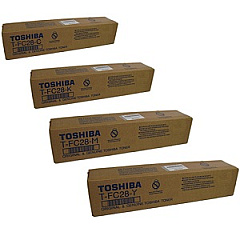
Toshiba E Studio 2830C Toner Set

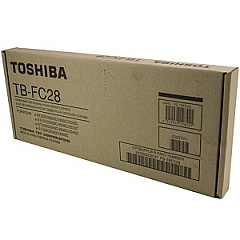
Toshiba E Studio 2830C Waste Toner Kits

Enhance your printing experience with genuine Toshiba E Studio 2830C Toner Cartridges and supplies. This comprehensive range includes the Toshiba OD-FC35 Drum Unit for crisp image reproduction, the TBFC28 Waste Toner Container for efficient disposal, and the TFC28 Toner Cartridge Set for complete color coverage. Individual cartridges are also available: TFC28C Cyan, TFC28K Black, TFC28M Magenta, and TFC28Y Yellow, ensuring vibrant and accurate color output. These high-quality consumables are designed specifically for the Toshiba E Studio 2830C, guaranteeing optimal performance and longevity. By using authentic Toshiba supplies, you'll maintain your printer's warranty while producing professional-grade documents. Whether you're in a busy office, educational institution, or healthcare facility, these reliable Toshiba E Studio 2830C Toner Cartridges deliver consistent, high-quality results page after page.

Toshiba E Studio 2830C Printers Supplies FAQs

  • How often should I replace the Toshiba OD-FC35 Drum Unit?

    The drum unit typically needs replacement after 60,000 to 70,000 pages, depending on usage and print density.

  • Are these toner cartridges compatible with other Toshiba models?

    These cartridges are specifically designed for the Toshiba E Studio 2830C. Always check your printer's manual for compatibility.

  • What is the page yield for the TFC28 Toner Cartridge Set?

    The page yield varies by color, but generally ranges from 24,000 to 29,000 pages for each cartridge in the set.

  • How do I know when to replace the TBFC28 Waste Toner Container?

    Your printer will display a message when the waste toner container is full and needs replacement.

  • Can I use third-party toner cartridges in my Toshiba E Studio 2830C?

    While third-party cartridges may work, using genuine Toshiba cartridges ensures optimal print quality and maintains your printer's warranty.

  • How should I store unused toner cartridges?

    Store cartridges in a cool, dry place away from direct sunlight. Keep them in their original packaging until ready for use.

  • What's the difference between the toner cartridge set and individual cartridges?

    The set includes all four colors, while individual cartridges allow you to replace only the color that's depleted.

  • How do I properly dispose of used toner cartridges?

    Many office supply stores offer recycling programs for used toner cartridges. Alternatively, check with Toshiba for their recycling options.

  • Can I replace toner cartridges while the printer is running?

    It's best to power off the printer before replacing cartridges to avoid potential damage or injury.

  • How can I extend the life of my toner cartridges?

    Use draft mode for internal documents, print in grayscale when color isn't necessary, and ensure your printer firmware is up to date.

Warehouse Locations

Policy & Agreement | Copyright © 1995-2026 BlueDogInk.com
