




Ads

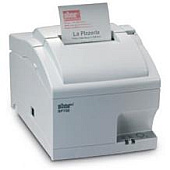
Star SP742 POS Printer Ribbon

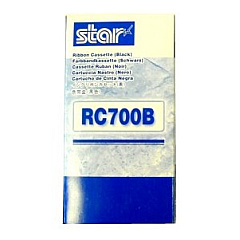
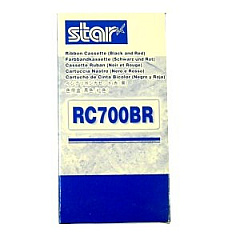
Discover the essential Star SP742 Thermal Printers Supplies for your point-of-sale needs. These high-quality supplies ensure optimal performance and longevity for your Star SP742 printer. Choose between the Star RC700B Black Ribbon Cartridge for crisp, clear monochrome printing or the Star RC700BR Black Red Ribbon Cartridge for eye-catching two-color output. Both options deliver consistent, professional results for receipts, kitchen orders, and other thermal printing applications. These genuine Star supplies are designed to work seamlessly with your SP742 printer, minimizing downtime and maximizing efficiency. Whether you're in retail, hospitality, or any business requiring reliable thermal printing, these Star SP742 Thermal Printers Supplies are the perfect choice. Invest in quality consumables to keep your operations running smoothly and your customers satisfied.

Star SP742 Thermal Printers Supplies FAQs

  • How long does a Star RC700B Black Ribbon Cartridge typically last?

    The Star RC700B Black Ribbon Cartridge typically lasts for approximately 3 million characters, depending on usage patterns and print density.

  • Is the Star RC700BR Black Red Ribbon Cartridge compatible with all Star SP742 models?

    Yes, the Star RC700BR Black Red Ribbon Cartridge is compatible with all Star SP742 thermal printer models.

  • How often should I replace the ribbon cartridge in my Star SP742 printer?

    Replace the ribbon cartridge when print quality begins to fade or becomes inconsistent, typically after 3 million characters for black ribbons and 1.5 million characters for black/red ribbons.

  • Can I use third-party ribbon cartridges with my Star SP742 printer?

    While third-party cartridges may work, using genuine Star supplies is recommended to ensure optimal performance and prevent potential damage to your printer.

  • What's the difference between the RC700B and RC700BR ribbon cartridges?

    The RC700B is a black-only ribbon cartridge, while the RC700BR is a black and red ribbon cartridge for two-color printing capabilities.

  • How do I install a new ribbon cartridge in my Star SP742 printer?

    To install a new ribbon cartridge, open the printer cover, remove the old cartridge, insert the new one ensuring it's properly seated, and close the cover.

  • Are Star SP742 Thermal Printers Supplies recyclable?

    While the plastic cartridge casings can be recycled, the ribbon itself is not typically recyclable. Check with your local recycling facilities for specific guidelines.

  • Can I use the Star RC700BR Black Red Ribbon Cartridge for single-color printing?

    Yes, you can use the RC700BR for single-color printing, but it's more cost-effective to use the RC700B for black-only printing needs.

  • What should I do if my Star SP742 printer isn't recognizing the new ribbon cartridge?

    Ensure the cartridge is properly seated and locked in place. If issues persist, clean the print head and check for any error messages on the printer.

  • Where can I purchase genuine Star SP742 Thermal Printers Supplies?

    Genuine Star SP742 Thermal Printers Supplies can be purchased from authorized Star Micronics dealers, including online retailers like BlueDogInk.com.

Warehouse Locations

Policy & Agreement | Copyright © 1995-2026 BlueDogInk.com
