














Ads

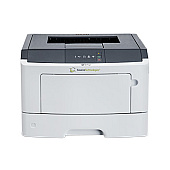
Source Technologies ST9620 Copy Paper

Ensure optimal performance for your Source Technologies ST9620 printer with our premium Source Technologies ST9620 Toner Cartridges. Our selection includes the essential LEX-24B1080 Photoconductor Kit, designed to maintain image quality and extend the life of your printer. For your MICR printing needs, we offer the STI-204513 MICR Toner Cartridge, perfect for producing crisp, secure financial documents. For high-volume printing environments, consider the STI-204513H MICR Toner Cartridge, which offers an increased page yield. These cartridges are specifically engineered to work seamlessly with your ST9620 printer, delivering consistent, professional-quality output for all your business, educational, governmental, healthcare, or wholesale printing requirements. Trust in the reliability and performance of genuine Source Technologies supplies to keep your operations running smoothly and efficiently.

Source Technologies ST9620 Toner Cartridges FAQs

  • What is the page yield of the STI-204513 MICR Toner Cartridge?

    The STI-204513 MICR Toner Cartridge typically yields around 6,000 pages at 5% coverage.

  • Is the STI-204513H MICR Toner Cartridge compatible with the ST9620 printer?

    Yes, the STI-204513H MICR Toner Cartridge is fully compatible with the Source Technologies ST9620 printer.

  • How often should I replace the LEX-24B1080 Photoconductor Kit?

    The LEX-24B1080 Photoconductor Kit should be replaced approximately every 100,000 pages, depending on usage.

  • Are these toner cartridges genuine Source Technologies products?

    Yes, all the toner cartridges listed are genuine Source Technologies products designed for optimal performance with the ST9620 printer.

  • What is the difference between the STI-204513 and STI-204513H MICR Toner Cartridges?

    The STI-204513H is a high-yield version of the STI-204513, offering a greater page yield for high-volume printing environments.

  • Can I use non-MICR toner in the ST9620 printer?

    It is not recommended to use non-MICR toner in the ST9620 printer, as it is designed specifically for MICR printing applications.

  • How do I install the new toner cartridge in my ST9620 printer?

    To install a new toner cartridge, open the printer's front cover, remove the old cartridge, and insert the new one until it clicks into place. Close the cover to complete installation.

  • Are these toner cartridges environmentally friendly?

    Source Technologies is committed to environmental sustainability and offers recycling programs for used toner cartridges.

  • What should I do if I experience print quality issues with my ST9620 printer?

    If you experience print quality issues, first ensure you are using genuine Source Technologies supplies. If problems persist, clean the printer and check for any error messages or maintenance requirements.

  • Do you offer bulk discounts for these toner cartridges?

    Yes, we offer bulk discounts for large orders of Source Technologies ST9620 Toner Cartridges. Please contact our sales team for more information on volume pricing.

Warehouse Locations

Policy & Agreement | Copyright © 1995-2026 BlueDogInk.com
