





Ads

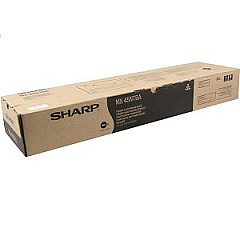
Sharp MX-4500N Black Toner Cartridges

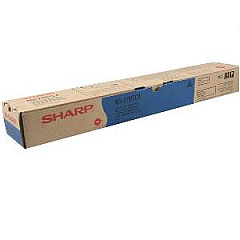
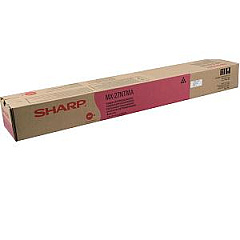
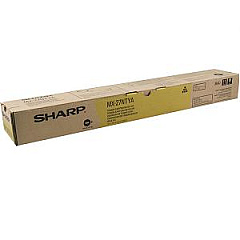
Sharp MX-4500N Color Toner Cartridges

Ensure optimal performance and stunning print quality with genuine Sharp MX-4500N Toner Cartridges. These high-capacity cartridges are specifically designed for the Sharp MX-4500N multifunction printer, delivering crisp text and vibrant colors for all your business needs. The set includes Sharp MX-27NTCA Cyan, MX-27NTMA Magenta, MX-27NTYA Yellow, and MX-45NTBA Black toner cartridges, providing a complete solution for your printing requirements. These OEM cartridges offer superior page yield and consistent results, making them ideal for high-volume printing environments such as offices, schools, and healthcare facilities. By choosing genuine Sharp toner cartridges, you ensure compatibility, reliability, and optimal performance of your MX-4500N printer. Invest in quality and efficiency with Sharp MX-4500N Toner Cartridges, and experience professional-grade prints that make a lasting impression.

Sharp MX-4500N Printers Supplies FAQs

  • What is the page yield for each Sharp MX-4500N toner cartridge?

    The page yield varies by color. The black cartridge (MX-45NTBA) yields approximately 40,000 pages, while each color cartridge (cyan, magenta, yellow) yields about 15,000 pages.

  • Are these toner cartridges compatible with other Sharp printer models?

    These cartridges are specifically designed for the Sharp MX-4500N printer. Always check your printer's manual or Sharp's website for compatibility information.

  • How long do Sharp MX-4500N toner cartridges typically last?

    The lifespan of toner cartridges depends on usage. Under normal printing conditions, they can last several months to a year.

  • Can I use third-party or remanufactured toner cartridges in my Sharp MX-4500N?

    While third-party cartridges may work, using genuine Sharp toner cartridges ensures optimal print quality and prevents potential damage to your printer.

  • How do I install new toner cartridges in the Sharp MX-4500N?

    Refer to your printer's manual for specific instructions. Generally, you'll need to open the front panel, remove the old cartridge, and insert the new one until it clicks into place.

  • What should I do with empty toner cartridges?

    Sharp offers a recycling program for used toner cartridges. Check their website or contact your local Sharp dealer for recycling options.

  • How can I tell when it's time to replace a toner cartridge?

    The Sharp MX-4500N will display a message on its control panel when toner is low or needs replacement. You may also notice a decrease in print quality.

  • Are these toner cartridges covered by a warranty?

    Yes, genuine Sharp toner cartridges typically come with a manufacturer's warranty. Check the packaging or Sharp's website for specific warranty details.

  • Can I buy individual color cartridges, or do I need to purchase a complete set?

    You can buy individual color cartridges as needed. It's not necessary to replace all colors at once unless they're all depleted.

  • How should I store unused toner cartridges?

    Store unused cartridges in a cool, dry place away from direct sunlight. Keep them in their original packaging until you're ready to use them to protect from dust and damage.

Warehouse Locations

Policy & Agreement | Copyright © 1995-2026 BlueDogInk.com
