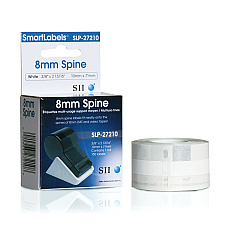
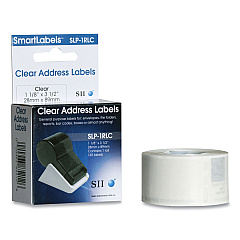





Seiko Smart Label Printer 100 Label Printers Supplies

Ads

Seiko Smart Label Printer 100 Labels

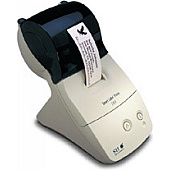
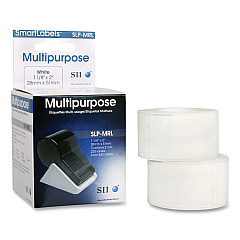
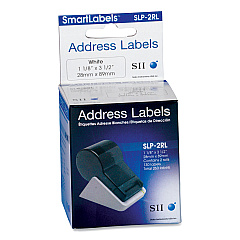
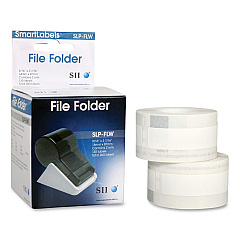
Enhance your labeling efficiency with Seiko Smart Label Printer 100 Label Printers Supplies. This versatile system offers a range of high-quality label options to meet diverse organizational needs. From audio cassette labels to address labels in white and clear, large address labels, file folder labels, and multipurpose labels, this printer has you covered. The Seiko SLP-27210 Audio Cassette Labels ensure precise identification for your audio collection. For mailing and shipping, choose between Seiko SLP-2RL White Address Labels or SLP-2RLC Clear Address Labels. Need larger labels? The SLP-2RLH Large Address Labels are perfect for packages. Organize your files effortlessly with SLP-FLW White File Folder Labels, while the SLP-MRL Multipurpose Labels offer flexibility for various applications. With Seiko Smart Label Printer 100 Label Printers Supplies, you'll experience unparalleled convenience and professional-looking results for all your labeling needs.

Seiko Smart Label Printer 100 Label Printers Supplies FAQs

  • What types of labels are compatible with the Seiko Smart Label Printer 100?

    The Seiko Smart Label Printer 100 is compatible with various label types, including audio cassette labels, white and clear address labels, large address labels, file folder labels, and multipurpose labels.

  • Can I print clear labels with this printer?

    Yes, you can print clear labels using the Seiko SLP-2RLC Clear Address Labels.

  • Are the labels water-resistant?

    The water-resistance of the labels may vary depending on the specific type. It's best to check the individual label specifications for this information.

  • How many labels come in each roll?

    The number of labels per roll varies depending on the label type. Please refer to the specific product details for exact quantities.

  • Is the Seiko Smart Label Printer 100 compatible with Mac and PC?

    The compatibility may vary. It's recommended to check the printer's specifications or contact Seiko support for the most up-to-date compatibility information.

  • Can I print barcodes with this printer?

    The Seiko Smart Label Printer 100 can print barcodes, but you may need appropriate software to generate the barcode designs.

  • How long do the labels last before fading?

    The longevity of the labels depends on various factors such as storage conditions and exposure to light. Generally, they are designed for long-lasting use under normal conditions.

  • Can I use third-party labels with this printer?

    It's recommended to use Seiko-branded labels for optimal performance and print quality. Third-party labels may not be compatible or could potentially damage the printer.

  • What is the print resolution of the Seiko Smart Label Printer 100?

    The print resolution may vary. Please refer to the printer's technical specifications for the exact resolution details.

  • How do I install new label rolls in the printer?

    The installation process is typically straightforward. Consult the user manual that comes with the printer for step-by-step instructions on how to properly load new label rolls.

Warehouse Locations

Policy & Agreement | Copyright © 1995-2026 BlueDogInk.com
