





Ads

Savin MP 3352 SP Black Toner Cartridges

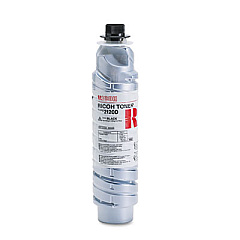
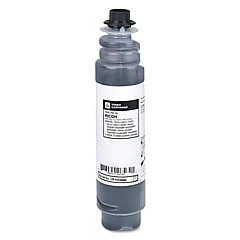
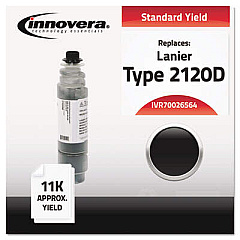
Ensure uninterrupted productivity with high-quality Savin MP 3352 SP Toner Cartridges. These reliable cartridges are designed to deliver crisp, professional-grade prints for your business, educational institution, government office, healthcare facility, or wholesale operation. Compatible options include the Innovera Remanufactured Black Toner, a cost-effective alternative that maintains excellent print quality. For those preferring OEM products, the Ricoh 841337 Black Toner Cartridge offers consistent performance and superior results. Both options are engineered to work seamlessly with your Savin MP 3352 SP printer, providing sharp text and clear images. By choosing these toner cartridges, you'll maximize your printer's efficiency while minimizing downtime. Whether you're printing important documents, reports, or promotional materials, these toner cartridges ensure your output always looks its best, reflecting positively on your organization's professionalism.

Savin MP 3352 SP Toner Cartridges FAQs

  • What is the page yield for the Savin MP 3352 SP Toner Cartridges?

    The page yield varies depending on the specific cartridge, but typically ranges from 11,000 to 15,000 pages at 5% coverage.

  • Are remanufactured toner cartridges compatible with the Savin MP 3352 SP?

    Yes, remanufactured cartridges like the Innovera Replacement for 89870 are compatible and offer a cost-effective alternative.

  • How long do Savin MP 3352 SP Toner Cartridges typically last?

    The lifespan depends on usage, but under normal printing conditions, a cartridge can last several months to a year.

  • Can I use Ricoh toner cartridges in my Savin MP 3352 SP printer?

    Yes, Ricoh toner cartridges like the 841337 are compatible with Savin MP 3352 SP printers.

  • How do I install a new toner cartridge in the Savin MP 3352 SP?

    Open the front cover, remove the old cartridge, shake the new one gently, remove the protective cover, and insert it until it clicks into place.

  • Are these toner cartridges environmentally friendly?

    Many cartridges, especially remanufactured ones, are designed with environmental considerations and can be recycled after use.

  • What should I do if I experience print quality issues?

    First, check if the toner is low. If not, try cleaning the printer's interior and print head. If issues persist, consult the printer's manual or contact support.

  • Can I use third-party toner cartridges without voiding my printer's warranty?

    Generally, using third-party cartridges doesn't void the warranty, but it's best to check your specific warranty terms.

  • How should I store unused toner cartridges?

    Store them in a cool, dry place away from direct sunlight. Keep them in their original packaging until ready for use.

  • Is there a difference in print quality between OEM and remanufactured cartridges?

    While OEM cartridges often provide the highest quality, many remanufactured cartridges offer comparable results at a lower cost.

Warehouse Locations

Policy & Agreement | Copyright © 1995-2026 BlueDogInk.com
