





Ads

Samsung Xpress M2876 Black Toner Cartridges

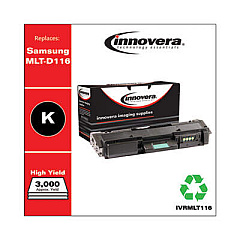
Ensure uninterrupted printing with high-quality Samsung Xpress M2876 Toner Cartridges. These reliable cartridges are designed to deliver crisp, clear text and sharp images for your professional documents. Compatible with the Samsung Xpress M2876 printer, these toner cartridges offer excellent value and performance. The Innovera Remanufactured Black Toner, a replacement for MLT-D116L, provides a cost-effective alternative without compromising on print quality. With its high yield capacity, you can print more pages and reduce the frequency of cartridge replacements. These toner cartridges are perfect for businesses, educational institutions, government offices, and healthcare facilities that require dependable printing solutions. Experience consistent, professional-grade output and minimize downtime with these Samsung Xpress M2876 Toner Cartridges. Choose these cartridges for reliability, affordability, and superior print quality in your day-to-day operations.

Samsung Xpress M2876 Toner Cartridges FAQs

  • What is the page yield of the Samsung Xpress M2876 Toner Cartridge?

    The page yield varies depending on the specific cartridge model, but typically ranges from 1,200 to 3,000 pages.

  • Is the Innovera Remanufactured Black Toner compatible with the Samsung Xpress M2876 printer?

    Yes, the Innovera Remanufactured Black Toner is fully compatible with the Samsung Xpress M2876 printer.

  • How does the print quality of the remanufactured cartridge compare to the original?

    The Innovera Remanufactured Black Toner is designed to provide print quality comparable to the original Samsung cartridge.

  • What is the shelf life of these toner cartridges?

    Typically, toner cartridges have a shelf life of 1-2 years when stored properly in a cool, dry place.

  • Are these cartridges environmentally friendly?

    Yes, remanufactured cartridges like the Innovera toner help reduce waste by reusing cartridge components.

  • How do I install the toner cartridge in my Samsung Xpress M2876 printer?

    Installation is simple: open the printer's front cover, remove the old cartridge, and insert the new one until it clicks into place.

  • Can I use these cartridges in other Samsung printer models?

    These cartridges are specifically designed for the Samsung Xpress M2876. Always check compatibility before using in other models.

  • What should I do if I experience print quality issues?

    First, ensure the cartridge is properly installed. If issues persist, try printing a test page or cleaning the printer's internal components.

  • Is there a warranty on these toner cartridges?

    Yes, most toner cartridges come with a standard warranty. Check the product packaging or contact the seller for specific warranty information.

  • How can I maximize the lifespan of my toner cartridge?

    To maximize lifespan, store cartridges in a cool, dry place, use your printer regularly, and choose appropriate print settings for each job.

Warehouse Locations

Policy & Agreement | Copyright © 1995-2026 BlueDogInk.com
