




Ads

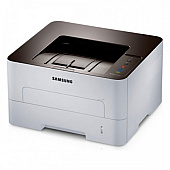
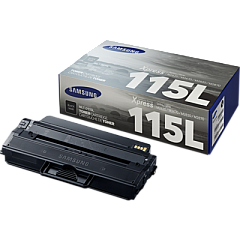
Samsung Xpress M2820DW Black Toner Cartridges

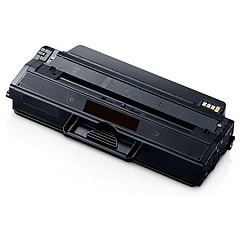
Ensure uninterrupted printing with high-quality Samsung Xpress M2820DW Toner Cartridges. These reliable cartridges are specifically designed for the Samsung Xpress M2820DW printer, delivering crisp, clear text and sharp images for all your professional documents. The Samsung MLT-D115L Black Toner Cartridge offers an impressive yield of up to 3,000 pages, reducing the frequency of replacements and minimizing downtime. With its advanced formulation, this toner produces consistent, smudge-free results while maximizing efficiency and cost-effectiveness. Whether you're printing reports, presentations, or everyday correspondence, these genuine Samsung toner cartridges guarantee optimal performance and longevity for your Xpress M2820DW printer. Invest in superior print quality and reliability with Samsung Xpress M2820DW Toner Cartridges, designed to meet the demands of busy offices and home users alike.

Samsung Xpress M2820DW Toner Cartridges FAQs

  • What is the page yield of the Samsung MLT-D115L Black Toner Cartridge?

    The Samsung MLT-D115L Black Toner Cartridge has a page yield of up to 3,000 pages.

  • Is this toner cartridge compatible with other Samsung printer models?

    This toner cartridge is specifically designed for the Samsung Xpress M2820DW printer. It may be compatible with other models, but it's best to check your printer's specifications.

  • How long does the toner cartridge typically last?

    The lifespan of the toner cartridge depends on your printing volume. With regular use, it can last several months to a year.

  • Are these genuine Samsung toner cartridges?

    Yes, these are genuine Samsung toner cartridges designed specifically for the Xpress M2820DW printer.

  • Can I use third-party or refilled toner cartridges in my Samsung Xpress M2820DW?

    While third-party cartridges may work, using genuine Samsung toner cartridges ensures optimal print quality and prevents potential damage to your printer.

  • How do I install the toner cartridge in my Samsung Xpress M2820DW?

    To install the cartridge, open the front cover, remove the old cartridge, unpack the new one, and insert it until it clicks into place. Then close the cover.

  • What should I do with my empty toner cartridge?

    Samsung offers a recycling program for empty toner cartridges. You can also check with local office supply stores for recycling options.

  • Does this toner cartridge come with a warranty?

    Yes, genuine Samsung toner cartridges typically come with a warranty against defects in materials and workmanship.

  • How can I tell if my toner cartridge is running low?

    Your printer will display a low toner message on its control panel or through your computer's print dialog when the cartridge is running low.

  • Can I buy these toner cartridges in bulk?

    Yes, many suppliers offer bulk purchasing options for Samsung Xpress M2820DW toner cartridges, which can help save money for high-volume users.

Warehouse Locations

Policy & Agreement | Copyright © 1995-2026 BlueDogInk.com
