










Ads

Samsung Xpress M2070FW Black Toner Cartridges

Samsung Xpress M2070FW Copy Paper

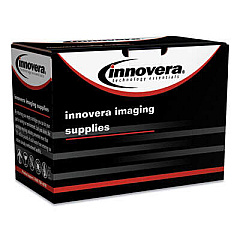
Ensure uninterrupted printing with high-quality Samsung Xpress M2070FW Toner Cartridges. These reliable cartridges are designed to deliver crisp, professional-grade prints for your business, educational institution, government office, healthcare facility, or wholesale operation. Compatible with the Samsung Xpress M2070FW printer, these toner cartridges offer exceptional value and performance. The Innovera Remanufactured Black Toner, a replacement for MLT-D111S, provides an eco-friendly and cost-effective alternative without compromising on print quality. With these cartridges, you can expect consistent, sharp text and graphics, making them ideal for a wide range of printing needs. Whether you're producing important documents, reports, or promotional materials, these toner cartridges ensure your prints make a lasting impression. Maximize your printer's potential and minimize downtime with these reliable Samsung Xpress M2070FW Toner Cartridges.

Samsung Xpress M2070FW Toner Cartridges FAQs

  • What is the page yield of the Samsung Xpress M2070FW toner cartridge?

    The standard yield cartridge typically produces around 1,000 pages, while high-yield versions can print up to 1,800 pages.

  • Is the Innovera Remanufactured Black Toner compatible with the Samsung Xpress M2070FW printer?

    Yes, the Innovera Remanufactured Black Toner is designed to be fully compatible with the Samsung Xpress M2070FW printer.

  • How do I install the toner cartridge in my Samsung Xpress M2070FW printer?

    To install, open the printer's front cover, remove the old cartridge, unpack the new one, and insert it until it clicks into place. Then close the cover.

  • What is the difference between OEM and remanufactured toner cartridges?

    OEM cartridges are made by the original manufacturer, while remanufactured cartridges are recycled and refilled, often offering a more cost-effective and eco-friendly option.

  • How long does a Samsung Xpress M2070FW toner cartridge typically last?

    The lifespan of a toner cartridge depends on usage, but it generally lasts 3-6 months for average users printing about 100-200 pages per month.

  • Can I use third-party toner cartridges in my Samsung Xpress M2070FW printer?

    Yes, you can use third-party cartridges like the Innovera Remanufactured Black Toner, but ensure they are compatible with your printer model.

  • How can I extend the life of my Samsung Xpress M2070FW toner cartridge?

    To extend cartridge life, use draft mode for non-critical prints, print in grayscale when possible, and avoid printing unnecessary pages.

  • What should I do if my prints are coming out faded or streaky?

    First, try gently shaking the cartridge to redistribute the toner. If the problem persists, the cartridge may be low on toner or need replacement.

  • Are Samsung Xpress M2070FW toner cartridges recyclable?

    Yes, most toner cartridges are recyclable. Many office supply stores and manufacturers offer recycling programs for used cartridges.

  • Can I store unused toner cartridges for long periods?

    Yes, you can store unused cartridges for up to two years. Keep them in their original packaging, away from direct sunlight, and in a cool, dry place.

Warehouse Locations

Policy & Agreement | Copyright © 1995-2026 BlueDogInk.com
