




Ads

Samsung SCX-4826 Black Toner Cartridges

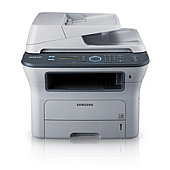
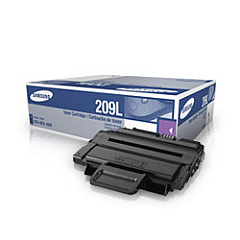
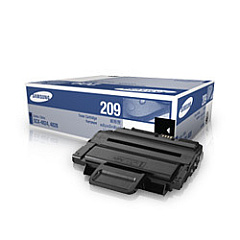
Enhance your printing experience with genuine Samsung SCX-4826 Toner Cartridges, designed to deliver exceptional quality and reliability for your Samsung SCX-4826 printer. These high-performance cartridges, including the Samsung MLT-D209L Black Toner Cartridge and Samsung MLT-D209S Black Toner Cartridge, ensure crisp, professional-looking documents every time. The MLT-D209L offers a higher page yield for increased productivity, while the MLT-D209S is perfect for moderate printing needs. Both cartridges are engineered to work seamlessly with your Samsung SCX-4826 printer, providing consistent results and minimizing downtime. Whether you're printing important business documents, educational materials, or healthcare records, these toner cartridges guarantee sharp text and clear graphics. Invest in genuine Samsung SCX-4826 Toner Cartridges to maintain your printer's performance and protect your investment in the long run.

Samsung SCX-4826 Printers Supplies FAQs

  • What is the difference between MLT-D209L and MLT-D209S cartridges?

    The MLT-D209L is a high-yield cartridge, offering more prints per cartridge, while the MLT-D209S is a standard-yield cartridge suitable for lower volume printing needs.

  • How many pages can I print with each cartridge?

    The MLT-D209L typically yields around 5,000 pages, while the MLT-D209S yields approximately 2,000 pages. Actual yield may vary based on printing conditions and content.

  • Are these cartridges compatible with other Samsung printer models?

    These cartridges are specifically designed for the Samsung SCX-4826 printer. Always check your printer's compatibility before purchasing toner cartridges.

  • How long do these toner cartridges last?

    The lifespan of a toner cartridge depends on usage. Under normal conditions, they can last 18-24 months if stored properly and unused.

  • Can I use third-party or refilled cartridges in my Samsung SCX-4826 printer?

    While third-party cartridges may work, using genuine Samsung cartridges ensures optimal print quality and prevents potential damage to your printer.

  • How do I install a new toner cartridge in my Samsung SCX-4826 printer?

    Open the front cover, remove the old cartridge, unpack the new one, and insert it until it clicks into place. Close the cover to complete installation.

  • What should I do with my empty toner cartridges?

    Samsung offers a recycling program for empty cartridges. You can also check with local office supply stores or recycling centers for proper disposal options.

  • How can I extend the life of my toner cartridge?

    Use draft mode for non-critical prints, print in grayscale when possible, and ensure your printer firmware is up to date for optimal efficiency.

  • Are these cartridges covered by a warranty?

    Yes, genuine Samsung toner cartridges typically come with a warranty against defects in materials and workmanship.

  • Can I store spare toner cartridges for future use?

    Yes, store cartridges in a cool, dry place away from direct sunlight. Keep them in their original packaging until ready for use to maintain quality.

Warehouse Locations

Policy & Agreement | Copyright © 1995-2026 BlueDogInk.com
