











Ads

Samsung ProXpress M4020ND Black Toner Cartridges

Samsung ProXpress M4020ND Toner Set

Samsung ProXpress M4020ND Printer Parts

Samsung ProXpress M4020ND Copy Paper

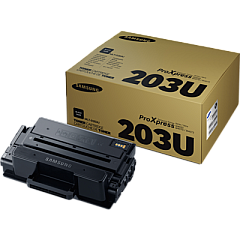
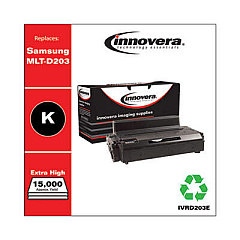
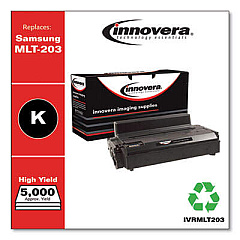
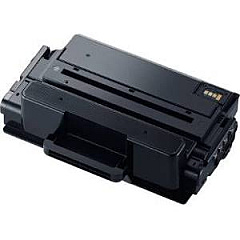
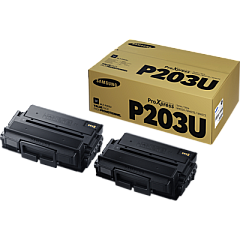
Ensure optimal performance and pristine print quality with genuine Samsung ProXpress M4020ND Toner Cartridges. This comprehensive range includes essential components like the JC91-01023A Fuser and JC93-00334A Frame-Rear, ensuring your printer operates at peak efficiency. Choose from various toner options, including the high-yield MLT-D203L, standard MLT-D203S, and ultra-high-yield MLT-D203U Black Toner Cartridges, tailored to meet diverse printing needs. For maximum value, consider the MLT-P203U Value Pack. These authentic Samsung supplies guarantee sharp text, crisp graphics, and consistent output, making them ideal for businesses, educational institutions, government offices, healthcare facilities, and wholesale operations. Invest in genuine Samsung ProXpress M4020ND Toner Cartridges to maintain your printer's longevity and produce professional-quality documents that leave a lasting impression.

Samsung ProXpress M4020ND Toner Cartridges FAQs

  • What is the page yield of the Samsung MLT-D203L Black Toner Cartridge?

    The Samsung MLT-D203L Black Toner Cartridge has a page yield of approximately 5,000 pages.

  • Is the Samsung JC91-01023A Fuser compatible with other Samsung printer models?

    The JC91-01023A Fuser is specifically designed for the Samsung ProXpress M4020ND and may not be compatible with other models. Always check your printer's specifications before purchasing.

  • How often should I replace the Samsung JC93-00334A Frame-Rear?

    The Frame-Rear typically doesn't require frequent replacement. It should be replaced only when damaged or as recommended by a certified technician during maintenance.

  • What's the difference between MLT-D203S and MLT-D203L toner cartridges?

    The MLT-D203S is a standard-yield cartridge, while the MLT-D203L is a high-yield cartridge. The L version provides more pages per cartridge, making it more economical for high-volume printing.

  • Can I use non-genuine toner cartridges in my Samsung ProXpress M4020ND?

    While third-party cartridges may work, using genuine Samsung toner cartridges ensures optimal print quality, reliability, and prevents potential damage to your printer.

  • What's included in the Samsung MLT-P203U Value Pack?

    The MLT-P203U Value Pack typically includes multiple MLT-D203U ultra-high-yield black toner cartridges, offering a cost-effective solution for high-volume printing environments.

  • How do I install a new toner cartridge in the Samsung ProXpress M4020ND?

    To install a new toner cartridge, open the front cover, remove the old cartridge, unpack the new one, and insert it until it clicks into place. Close the cover to complete installation.

  • Are these toner cartridges environmentally friendly?

    Yes, Samsung designs its toner cartridges with environmental considerations in mind. Many components are recyclable, and Samsung offers a recycling program for used cartridges.

  • How can I extend the life of my Samsung ProXpress M4020ND Toner Cartridges?

    To extend cartridge life, use draft mode for internal documents, print in grayscale when color isn't necessary, and ensure your printer firmware is up-to-date for optimal efficiency.

  • What should I do if I experience print quality issues with my Samsung ProXpress M4020ND?

    If you experience print quality issues, first check if the toner is low. If not, try cleaning the printer's interior and print head. If problems persist, consider replacing the toner cartridge or contacting Samsung support.

Warehouse Locations

Policy & Agreement | Copyright © 1995-2026 BlueDogInk.com
