





Ads

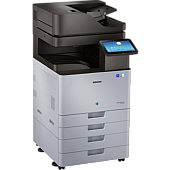
Samsung MultiXpress X7600GX Black Toner Cartridges

Samsung MultiXpress X7600GX Color Toner Cartridges

Samsung MultiXpress X7600GX Drum Units

Samsung MultiXpress X7600GX Waste Toner Kits

Samsung MultiXpress X7600GX Fusers

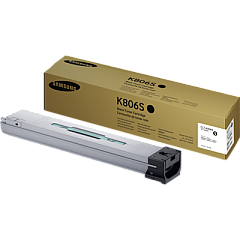
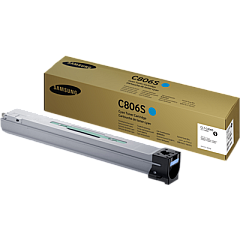
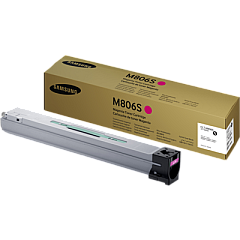
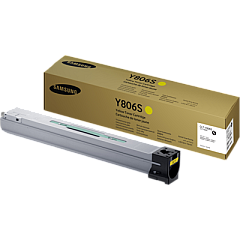
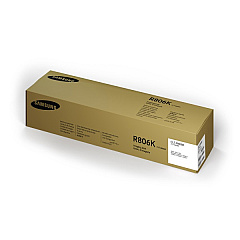
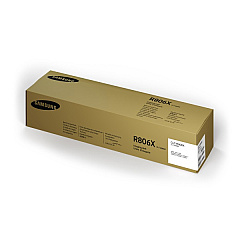
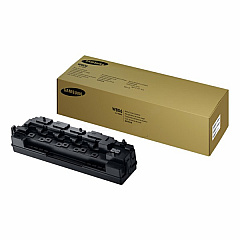
Ensure optimal performance and stunning print quality with genuine Samsung MultiXpress X7600GX Toner Cartridges. This comprehensive range includes the CLT-C806S Cyan, CLT-K806S Black, CLT-M806S Magenta, and CLT-Y806S Yellow toner cartridges, delivering vibrant colors and crisp text. For extended longevity, the CLT-R806K Black and CLT-R806X Color Imaging Units maintain image clarity, while the CLT-W806 Waste Toner Container efficiently manages residual toner. The JC91-01195A Fuser Unit ensures proper toner adhesion for professional-grade results. These high-yield supplies are designed specifically for the Samsung MultiXpress X7600GX, guaranteeing compatibility and reliability. Whether you're printing high-volume business documents, marketing materials, or detailed reports, these genuine Samsung supplies provide consistent, superior output that meets the demands of busy office environments.

Samsung MultiXpress X7600GX Toner Cartridges FAQs

  • What is the page yield for the Samsung CLT-K806S Black Toner Cartridge?

    The Samsung CLT-K806S Black Toner Cartridge typically yields around 45,000 pages at 5% coverage.

  • Are these toner cartridges compatible with other Samsung printer models?

    These toner cartridges are specifically designed for the Samsung MultiXpress X7600GX and may not be compatible with other models. Always check your printer's compatibility before purchasing.

  • How often should I replace the imaging units?

    Imaging units typically last for several toner cartridge changes. Replace them when print quality noticeably decreases or when prompted by the printer.

  • What is the purpose of the waste toner container?

    The waste toner container collects excess toner that isn't used during the printing process. It should be replaced when full to prevent toner leaks and maintain print quality.

  • Can I use third-party toner cartridges with the Samsung MultiXpress X7600GX?

    While third-party cartridges may work, using genuine Samsung toner cartridges ensures optimal print quality and prevents potential damage to your printer.

  • How do I know when it's time to replace a toner cartridge?

    The printer will typically display a warning message when toner is low. You may also notice a decrease in print quality or faded prints.

  • What is the shelf life of unopened toner cartridges?

    Unopened toner cartridges can typically last for 1-2 years when stored in a cool, dry place away from direct sunlight.

  • How do I properly store spare toner cartridges?

    Store spare cartridges in their original packaging, in a cool, dry place away from direct sunlight and heat sources. Keep them horizontally to prevent toner clumping.

  • Is it necessary to shake the toner cartridge before installation?

    Yes, gently shaking the toner cartridge before installation helps distribute the toner evenly and can improve initial print quality.

  • How often should the fuser unit be replaced?

    The fuser unit typically lasts for several hundred thousand pages. Replace it when print quality issues persist after changing toner cartridges and imaging units, or when prompted by the printer.

Warehouse Locations

Policy & Agreement | Copyright © 1995-2026 BlueDogInk.com
