





Ads

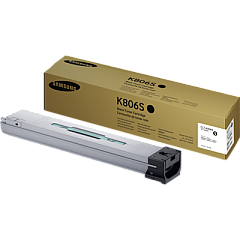
Samsung MultiXpress X7400GX Black Toner Cartridges

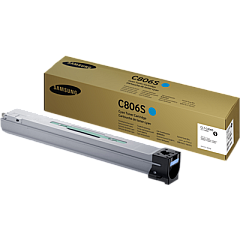
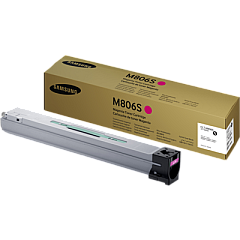
Samsung MultiXpress X7400GX Color Toner Cartridges

Samsung MultiXpress X7400GX Drum Units

Samsung MultiXpress X7400GX Waste Toner Kits

Samsung MultiXpress X7400GX Fusers

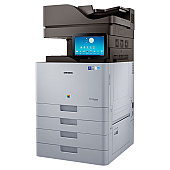
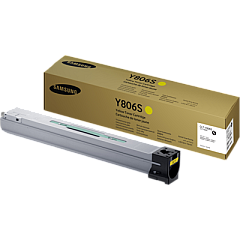
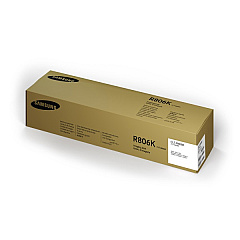
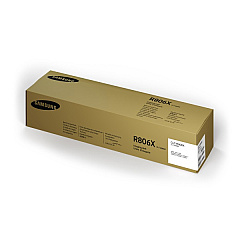
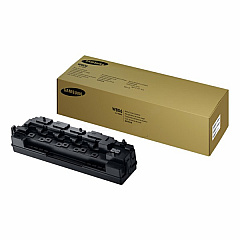
Ensure optimal performance and stunning print quality with genuine Samsung MultiXpress X7400GX Toner Cartridges. This comprehensive range includes the CLT-C806S Cyan, CLT-K806S Black, CLT-M806S Magenta, and CLT-Y806S Yellow toner cartridges, delivering vibrant colors and crisp text. The CLT-R806K Black and CLT-R806X Color Imaging Units guarantee consistent image quality, while the CLT-W806 Waste Toner Container efficiently manages excess toner. For long-lasting reliability, the JC91-01195A Fuser Unit is essential. These authentic Samsung supplies are designed specifically for the MultiXpress X7400GX, ensuring seamless compatibility and maximum efficiency. Whether you're printing high-volume business documents or colorful marketing materials, these toner cartridges and components work together to produce professional results every time, making them the ideal choice for businesses, schools, government offices, and healthcare facilities.

Samsung MultiXpress X7400GX Toner Cartridges FAQs

  • How long do Samsung MultiXpress X7400GX toner cartridges typically last?

    The lifespan of toner cartridges varies depending on usage, but they generally last for several thousand pages. Refer to the specific yield information for each cartridge model for more accurate estimates.

  • Are these toner cartridges compatible with other Samsung printer models?

    These cartridges are designed specifically for the Samsung MultiXpress X7400GX. Always check your printer's compatibility before purchasing toner cartridges.

  • How often should I replace the imaging units?

    Imaging units typically last longer than toner cartridges. Replace them when print quality noticeably decreases or when prompted by the printer.

  • What is the purpose of the waste toner container?

    The waste toner container collects excess toner during printing. It should be replaced when full to prevent toner leaks and maintain print quality.

  • Can I use third-party toner cartridges with the Samsung MultiXpress X7400GX?

    While third-party cartridges may work, using genuine Samsung toner cartridges ensures optimal print quality and prevents potential damage to your printer.

  • How do I know when it's time to replace a toner cartridge?

    The printer will typically display a warning message when toner is low. You may also notice a decrease in print quality.

  • Is it necessary to replace all color cartridges at the same time?

    No, you can replace individual color cartridges as needed. However, replacing all colors simultaneously can ensure consistent print quality across all colors.

  • How should I store unused toner cartridges?

    Store unused cartridges in a cool, dry place away from direct sunlight. Keep them in their original packaging until ready for use.

  • What is the fuser unit, and how often should it be replaced?

    The fuser unit bonds toner to the paper. It typically lasts for several hundred thousand pages and should be replaced when print quality issues persist after changing toner cartridges.

  • Are these toner cartridges environmentally friendly?

    Samsung designs its toner cartridges with environmental considerations in mind. Many components are recyclable, and Samsung offers a recycling program for used cartridges.

Warehouse Locations

Policy & Agreement | Copyright © 1995-2026 BlueDogInk.com
