





Ads

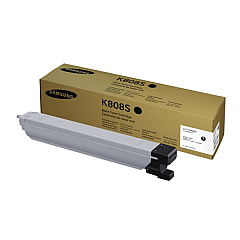
Samsung MultiXpress SL-X4300LX Black Toner Cartridges

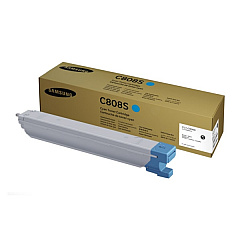
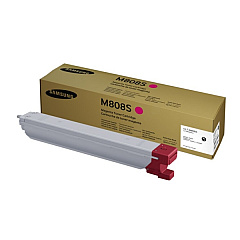
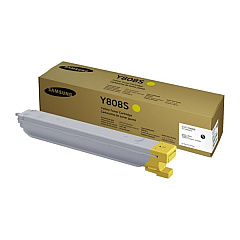
Samsung MultiXpress SL-X4300LX Color Toner Cartridges

Samsung MultiXpress SL-X4300LX Drum Units

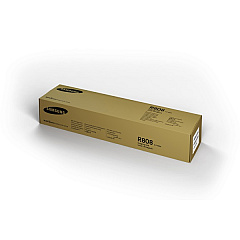
Enhance your printing experience with genuine Samsung MultiXpress SL-X4300LX Toner Cartridges. These high-quality consumables are designed to deliver exceptional results for your Samsung MultiXpress SL-X4300LX printer. The comprehensive range includes the CLT-C808S Cyan, CLT-K808S Black, CLT-M808S Magenta, and CLT-Y808S Yellow toner cartridges, ensuring vibrant and accurate color reproduction. Additionally, the CLT-R808 Imaging Unit maintains optimal print quality throughout its lifecycle. These cartridges are engineered to produce sharp text and vivid graphics, making them ideal for businesses, educational institutions, government offices, and healthcare facilities. With their high yield and reliability, these toner cartridges minimize downtime and maximize productivity. Choose Samsung MultiXpress SL-X4300LX Toner Cartridges for consistent, professional-grade prints that meet the demands of your high-volume printing environment.

Samsung MultiXpress SL-X4300LX Printers Supplies FAQs

  • How long do Samsung MultiXpress SL-X4300LX toner cartridges typically last?

    The lifespan of these cartridges varies depending on usage, but they generally yield around 30,000 pages for color cartridges and 45,000 pages for black.

  • Are these toner cartridges compatible with other Samsung printer models?

    These cartridges are specifically designed for the Samsung MultiXpress SL-X4300LX and may not be compatible with other models. Always check your printer's specifications before purchasing.

  • Can I use third-party toner cartridges in my Samsung MultiXpress SL-X4300LX?

    While third-party cartridges may work, using genuine Samsung cartridges ensures optimal print quality and prevents potential damage to your printer.

  • How often should I replace the imaging unit?

    The CLT-R808 Imaging Unit typically needs replacement after processing about 200,000 pages, but this can vary based on usage patterns.

  • Do these toner cartridges come with a warranty?

    Yes, genuine Samsung toner cartridges come with a manufacturer's warranty against defects in materials and workmanship.

  • Can I recycle used toner cartridges?

    Yes, Samsung offers a recycling program for used toner cartridges. Check their website or contact customer support for details on how to participate.

  • How can I tell if my toner cartridge is running low?

    The printer's display panel will show a low toner warning when a cartridge is nearing depletion. You can also check toner levels through the printer's software interface.

  • Are these toner cartridges environmentally friendly?

    Samsung designs their toner cartridges with environmental considerations in mind, using recyclable materials and energy-efficient manufacturing processes.

  • Can I store unused toner cartridges for long periods?

    Yes, you can store unused cartridges for up to two years. Keep them in their original packaging, away from direct sunlight, and at room temperature.

  • How do I properly install a new toner cartridge?

    Refer to your printer's user manual for specific instructions. Generally, you'll need to open the front cover, remove the old cartridge, and insert the new one until it clicks into place.

Warehouse Locations

Policy & Agreement | Copyright © 1995-2026 BlueDogInk.com
