





Ads

Samsung ML-6510 Black Toner Cartridges

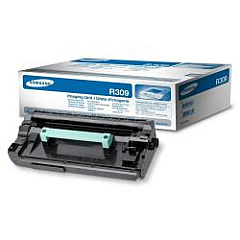
Samsung ML-6510 Drum Units

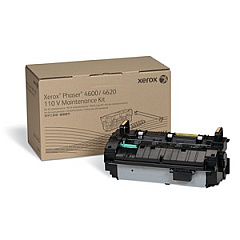
Samsung ML-6510 Maintenance Kits

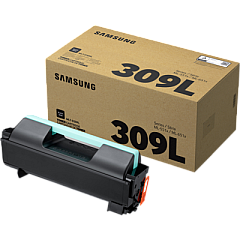
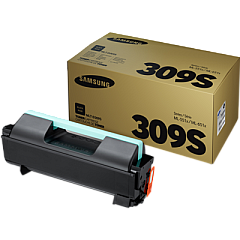
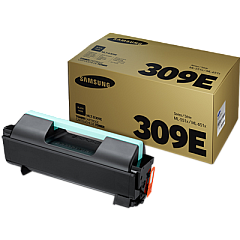
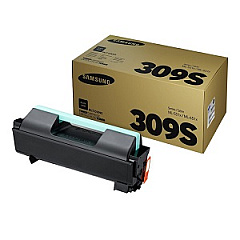
Enhance your printing efficiency with genuine Samsung ML-6510 Toner Cartridges, designed specifically for the Samsung ML-6510 printer. These high-quality cartridges ensure crisp, professional-grade black and white prints for your business, educational institution, or healthcare facility. Choose from a range of options including the high-yield MLT-D309E, the standard MLT-D309L, and the economical MLT-D309S Black Toner Cartridges to suit your printing volume needs. For optimal performance, pair these toners with the Samsung MLT-R309 Imaging Unit, which works in tandem to produce sharp, clear documents. By using authentic Samsung supplies, you'll maximize your printer's lifespan and maintain consistent print quality. Whether you're printing reports, invoices, or educational materials, Samsung ML-6510 Toner Cartridges deliver reliable results page after page, making them an excellent choice for high-volume printing environments.

Samsung ML-6510 Printers Supplies FAQs

  • What is the page yield of the Samsung MLT-D309E Black Toner Cartridge?

    The Samsung MLT-D309E Black Toner Cartridge has a page yield of approximately 40,000 pages at 5% coverage.

  • Are these toner cartridges compatible with other Samsung printer models?

    These toner cartridges are specifically designed for the Samsung ML-6510 printer. Always check your printer's compatibility before purchasing.

  • How often should I replace the Samsung MLT-R309 Imaging Unit?

    The Samsung MLT-R309 Imaging Unit typically needs replacement after processing about 80,000 pages, but this can vary based on usage.

  • What's the difference between the MLT-D309L and MLT-D309S cartridges?

    The MLT-D309L is a high-yield cartridge with a larger page yield, while the MLT-D309S is a standard-yield cartridge suitable for lower volume printing.

  • Can I use third-party toner cartridges in my Samsung ML-6510 printer?

    While third-party cartridges may work, using genuine Samsung toner cartridges ensures optimal print quality and prevents potential damage to your printer.

  • How do I install a new toner cartridge in the Samsung ML-6510 printer?

    To install a new cartridge, open the front cover, remove the old cartridge, unpack the new one, and insert it until it clicks into place. Close the cover to complete installation.

  • What should I do with my used toner cartridges?

    Samsung offers a recycling program for used cartridges. You can also check with local office supply stores or recycling centers for proper disposal options.

  • How can I extend the life of my toner cartridge?

    To extend cartridge life, use draft mode for non-critical prints, print in grayscale when possible, and ensure your printer firmware is up to date.

  • Are these toner cartridges covered by a warranty?

    Yes, genuine Samsung toner cartridges come with a standard manufacturer's warranty against defects in materials and workmanship.

  • How do I know when it's time to replace my toner cartridge?

    Your Samsung ML-6510 printer will display a message when toner is low. You may also notice a decrease in print quality, which indicates it's time for a replacement.

Warehouse Locations

Policy & Agreement | Copyright © 1995-2026 BlueDogInk.com
