









Ads

Samsung CLX-9251NA Color Toner Cartridges

Samsung CLX-9251NA Drum Units

Samsung CLX-9251NA Waste Toner Kits

Samsung CLX-9251NA Copy Paper

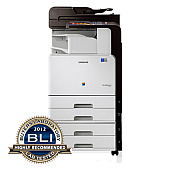
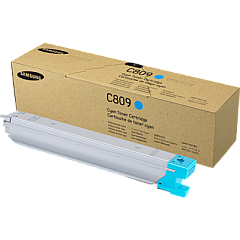
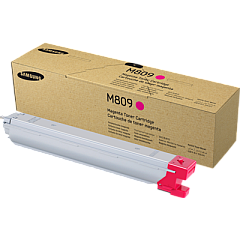
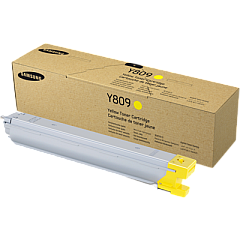
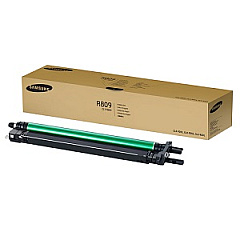
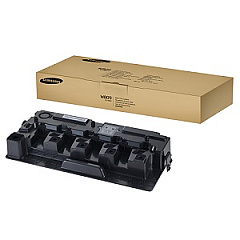
Ensure optimal performance and stunning print quality with genuine Samsung CLX-9251NA Toner Cartridges. This comprehensive set includes the Samsung CLT-C809S Cyan, CLT-K809S Black, CLT-M809S Magenta, and CLT-Y809S Yellow toner cartridges, delivering vibrant colors and crisp text for all your printing needs. The CLT-R809 Imaging Unit ensures precise image transfer, while the CLT-W809 Waste Toner Container efficiently manages excess toner. These high-capacity cartridges are designed specifically for the Samsung CLX-9251NA printer, guaranteeing compatibility and reliability. Whether you're printing important business documents or eye-catching marketing materials, these genuine Samsung supplies provide consistent, professional results. Maximize your printer's efficiency and reduce downtime with these long-lasting, easy-to-install cartridges. Trust in Samsung's superior quality to keep your CLX-9251NA running smoothly and producing exceptional prints.

Samsung CLX-9251NA Toner Cartridges FAQs

  • How often should I replace the toner cartridges in my Samsung CLX-9251NA?

    Replacement frequency depends on usage, but typically when print quality diminishes or the printer indicates low toner levels.

  • Are these toner cartridges compatible with other Samsung printer models?

    These cartridges are specifically designed for the Samsung CLX-9251NA and may not be compatible with other models.

  • What is the page yield for each toner cartridge?

    Page yields vary by color and usage, but generally range from 20,000 to 30,000 pages per cartridge.

  • How do I install the new toner cartridges?

    Follow the instructions in your printer's manual, which typically involve opening the front panel, removing the old cartridge, and inserting the new one until it clicks into place.

  • Can I use third-party or refilled toner cartridges in my Samsung CLX-9251NA?

    While possible, using non-genuine cartridges may affect print quality and could potentially damage your printer or void its warranty.

  • How long do unopened toner cartridges last?

    Unopened cartridges can last up to two years if stored properly in a cool, dry place away from direct sunlight.

  • What should I do with my used toner cartridges?

    Samsung offers a recycling program for used cartridges. Check their website or contact customer support for details on how to recycle responsibly.

  • How often should I replace the imaging unit?

    The imaging unit typically lasts longer than toner cartridges. Replace it when print quality deteriorates even after replacing toner cartridges, or as recommended by the printer.

  • Can I replace just one color cartridge at a time?

    Yes, you can replace individual color cartridges as needed. The printer will indicate which specific color is low or empty.

  • How do I know when to replace the waste toner container?

    The printer will display a message when the waste toner container is full and needs replacement. This typically occurs after several toner cartridge changes.

Warehouse Locations

Policy & Agreement | Copyright © 1995-2026 BlueDogInk.com
