










Ads

Samsung CLX-8650ND Black Toner Cartridges

Samsung CLX-8650ND Color Toner Cartridges

Samsung CLX-8650ND Drum Units

Samsung CLX-8650ND Waste Toner Kits

Samsung CLX-8650ND Fusers

Samsung CLX-8650ND Copy Paper

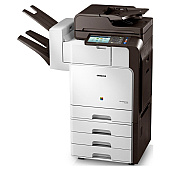
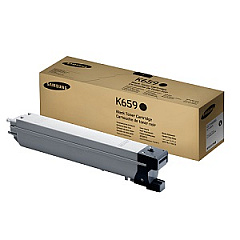
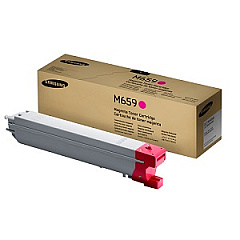
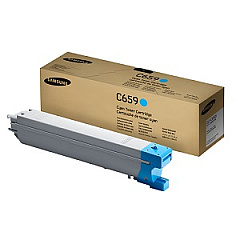
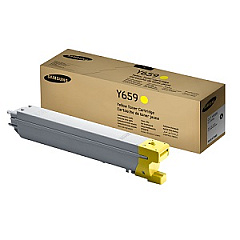
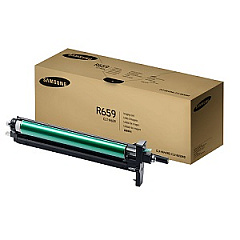
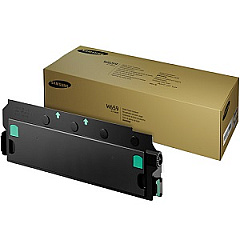
Ensure optimal performance and stunning print quality with genuine Samsung CLX-8650ND Toner Cartridges. This comprehensive range includes the CLT-C659S Cyan, CLT-K659S Black, CLT-M659S Magenta, and CLT-Y659S Yellow toner cartridges, delivering vibrant colors and crisp text for all your printing needs. The CLT-R659 Imaging Unit ensures sharp, clear images, while the CLT-W659 Waste Container efficiently manages toner disposal. For long-lasting, reliable operation, the JC91-01120A Fuser Unit is an essential component. These high-yield cartridges are designed specifically for the Samsung CLX-8650ND printer, offering excellent page coverage and cost-effective printing solutions for businesses, educational institutions, and healthcare facilities. Trust in Samsung's superior quality to consistently produce professional-grade documents and marketing materials that make a lasting impression.

Samsung CLX-8650ND Toner Cartridges FAQs

  • How long do Samsung CLX-8650ND toner cartridges typically last?

    The lifespan of these cartridges varies depending on usage, but they generally yield around 20,000 pages for color cartridges and 45,000 pages for black.

  • Are these toner cartridges compatible with other Samsung printer models?

    These cartridges are specifically designed for the Samsung CLX-8650ND printer and may not be compatible with other models.

  • How often should I replace the imaging unit?

    The CLT-R659 Imaging Unit typically needs replacement after processing about 150,000 pages.

  • What is the purpose of the waste container?

    The CLT-W659 Waste Container collects excess toner during printing to prevent it from contaminating the printer or prints.

  • Can I use third-party toner cartridges in my Samsung CLX-8650ND printer?

    While third-party cartridges may work, using genuine Samsung cartridges ensures optimal print quality and prevents potential damage to your printer.

  • How do I know when it's time to replace a toner cartridge?

    Your printer will display a message indicating low toner levels. You may also notice a decrease in print quality.

  • What is the function of the fuser unit?

    The JC91-01120A Fuser Unit applies heat to fuse the toner onto the paper, creating permanent prints.

  • Are these toner cartridges environmentally friendly?

    Samsung designs its cartridges with recyclable materials and offers a recycling program for used cartridges.

  • Can I replace toner cartridges while the printer is running?

    It's recommended to turn off the printer before replacing any components to avoid potential damage or injury.

  • What should I do if I experience streaking or fading in my prints?

    First, check toner levels and replace if necessary. If the issue persists, the imaging unit or fuser unit may need replacement.

Warehouse Locations

Policy & Agreement | Copyright © 1995-2026 BlueDogInk.com
