









Ads

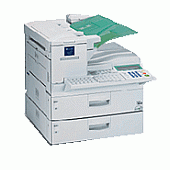
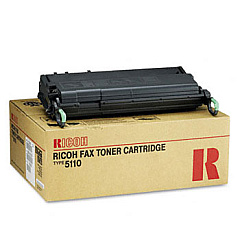
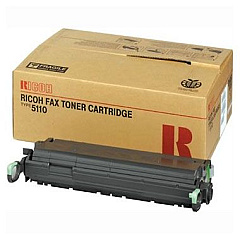
Ricoh FAX5510L Black Toner Cartridges

Ricoh FAX5510L Copy Paper

Ensure uninterrupted faxing with high-quality Ricoh FAX5510L Toner Cartridges. These reliable cartridges are designed specifically for the Ricoh FAX5510L, delivering crisp, clear text and images for all your business communications. Choose between the Ricoh 430208 Black Toner Cartridge and the Ricoh 430452 Black Toner Cartridge to meet your printing needs. Both options offer exceptional print quality and long-lasting performance, minimizing downtime and maximizing productivity. These genuine Ricoh toner cartridges are engineered to work seamlessly with your FAX5510L, ensuring optimal functionality and preventing potential damage to your machine. Whether you're sending important documents or receiving crucial information, trust Ricoh FAX5510L Toner Cartridges to deliver professional results every time. Invest in these top-quality cartridges to maintain the efficiency and reliability of your fax machine, keeping your business communications running smoothly.

Ricoh FAX5510L Toner Cartridges FAQs

  • What is the difference between Ricoh 430208 and 430452 toner cartridges?

    The main difference is their page yield. The 430208 typically has a lower page yield compared to the 430452, which is designed for higher volume printing.

  • How long do Ricoh FAX5510L Toner Cartridges typically last?

    The lifespan of these cartridges depends on usage, but they generally last for several thousand pages. Check the specific cartridge specifications for exact page yields.

  • Are these toner cartridges compatible with other Ricoh fax machines?

    These cartridges are specifically designed for the Ricoh FAX5510L. They may not be compatible with other models, so always check your machine's specifications before purchasing.

  • How can I tell when it's time to replace my toner cartridge?

    Your Ricoh FAX5510L will typically display a low toner warning. You may also notice a decrease in print quality or faded text.

  • Can I use third-party or refilled toner cartridges in my Ricoh FAX5510L?

    While third-party cartridges may work, using genuine Ricoh toner cartridges is recommended to ensure optimal performance and prevent potential damage to your machine.

  • How should I store unused toner cartridges?

    Store them in a cool, dry place away from direct sunlight. Keep them in their original packaging until ready for use to protect them from dust and damage.

  • Are these toner cartridges environmentally friendly?

    Ricoh is committed to environmental sustainability. Many of their cartridges can be recycled through Ricoh's recycling program.

  • How do I install a new toner cartridge in my Ricoh FAX5510L?

    Consult your machine's user manual for specific instructions. Generally, you'll need to open the front cover, remove the old cartridge, and insert the new one until it clicks into place.

  • What should I do if I experience print quality issues after installing a new cartridge?

    Try removing and reinserting the cartridge. If issues persist, check for any protective seals you may have forgotten to remove, or contact Ricoh customer support for assistance.

  • Can I buy these toner cartridges in bulk for my business?

    Yes, many suppliers offer bulk purchasing options for businesses. This can often result in cost savings for high-volume users.

Warehouse Locations

Policy & Agreement | Copyright © 1995-2026 BlueDogInk.com
