




Ads

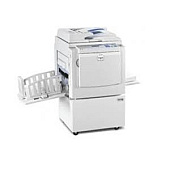
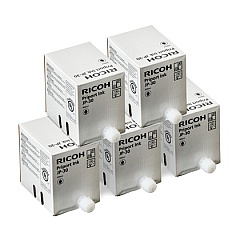
Ricoh DX3340 Black Ink Cartridges

Ensure uninterrupted printing with genuine Ricoh DX3340 Ink Cartridges. These high-quality cartridges are specifically designed for the Ricoh DX3340 printer, delivering crisp, professional-grade output for your business, educational, governmental, or healthcare needs. The Ricoh 817113 Black Ink Cartridge offers exceptional print quality and reliability, making it ideal for high-volume printing environments. With its long-lasting formula, you'll experience fewer cartridge changes and reduced downtime. These cartridges are engineered to work seamlessly with your Ricoh DX3340 printer, ensuring optimal performance and preventing potential damage caused by incompatible products. By choosing authentic Ricoh DX3340 Ink Cartridges, you're investing in superior print quality, consistency, and longevity for your printing needs. Trust in Ricoh's commitment to excellence and keep your printer running smoothly with these dependable ink cartridges.

Ricoh DX3340 Ink Cartridges FAQs

  • How long does a Ricoh 817113 Black Ink Cartridge typically last?

    The lifespan of a cartridge depends on usage, but it typically yields around 1,000 pages at 5% coverage.

  • Are these ink cartridges compatible with other Ricoh printer models?

    The Ricoh 817113 Black Ink Cartridge is specifically designed for the Ricoh DX3340 printer. It may not be compatible with other models.

  • Can I use third-party ink cartridges in my Ricoh DX3340 printer?

    While third-party cartridges may work, using genuine Ricoh cartridges ensures optimal performance and prevents potential damage to your printer.

  • How do I install the Ricoh 817113 Black Ink Cartridge?

    Open the printer's front cover, remove the old cartridge, and insert the new one until it clicks into place. Close the cover to complete installation.

  • Are these ink cartridges environmentally friendly?

    Ricoh is committed to sustainability. The cartridges can be recycled through Ricoh's recycling program.

  • What should I do if my printer doesn't recognize the new cartridge?

    Try removing and reinserting the cartridge. If the issue persists, clean the cartridge contacts and try again. If problems continue, contact Ricoh support.

  • Can I refill these ink cartridges?

    Ricoh does not recommend refilling cartridges as it may affect print quality and potentially damage your printer. It's best to use new, genuine cartridges.

  • How should I store unused ink cartridges?

    Store cartridges in a cool, dry place away from direct sunlight. Keep them in their original packaging until ready for use.

  • Does using genuine Ricoh cartridges affect my printer's warranty?

    No, using genuine Ricoh cartridges maintains your printer's warranty. Using third-party cartridges may void the warranty.

  • What's the shelf life of unopened Ricoh DX3340 Ink Cartridges?

    Unopened cartridges typically have a shelf life of 1-2 years when stored properly. Check the expiration date on the package for specific information.

Warehouse Locations

Policy & Agreement | Copyright © 1995-2026 BlueDogInk.com
