




Ads

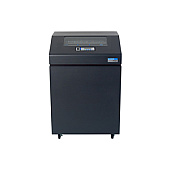
Printronix P7210 Printer Ribbon

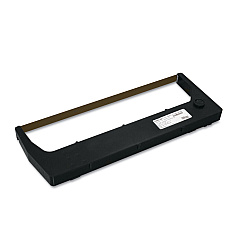
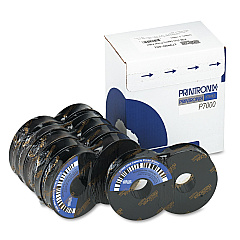
Printronix P7210 Dot Matrix Ribbon

Discover top-quality Printronix P7210 Printers Supplies at Blue Dog Ink. Our comprehensive selection includes the essential Printronix 179499-001 Black Ribbons and Printronix 255048-402 Ribbon Cartridges, designed to deliver exceptional print quality and longevity for your Printronix P7210 printer. These high-performance supplies ensure crisp, clear text and graphics, making them ideal for businesses, educational institutions, government agencies, healthcare facilities, and wholesale operations. With our Printronix P7210 Printers Supplies, you can count on consistent, professional results for all your printing needs. Whether you're producing invoices, reports, labels, or other critical documents, these reliable supplies will keep your Printronix P7210 running smoothly and efficiently. Trust Blue Dog Ink to provide the best printer supplies for your Printronix P7210, backed by our commitment to customer satisfaction and competitive pricing.

Printronix P7210 Printers Supplies FAQs

  • How often should I replace the ribbon in my Printronix P7210 printer?

    The frequency of ribbon replacement depends on your printing volume. Generally, you should replace the ribbon when print quality begins to fade or after approximately 30 million characters.

  • Are Printronix 179499-001 Black Ribbons compatible with other Printronix printer models?

    Printronix 179499-001 Black Ribbons are specifically designed for the P7210 model. Always check your printer's compatibility before purchasing supplies.

  • What is the expected page yield for Printronix 255048-402 Ribbon Cartridges?

    The page yield varies depending on print density and content, but Printronix 255048-402 Ribbon Cartridges typically yield around 30,000 pages.

  • Can I use third-party ribbons in my Printronix P7210 printer?

    While third-party ribbons may work, we recommend using genuine Printronix supplies to ensure optimal print quality and prevent potential damage to your printer.

  • How do I install a new ribbon in my Printronix P7210 printer?

    To install a new ribbon, open the printer cover, remove the old ribbon cartridge, and carefully insert the new one following the guides inside the printer. Refer to your printer's manual for detailed instructions.

  • Are Printronix P7210 Printers Supplies environmentally friendly?

    Printronix designs their supplies with environmental considerations in mind. However, for specific details on eco-friendliness, please check the product specifications or contact Printronix directly.

  • How long can I store unused Printronix P7210 Printers Supplies?

    Unopened ribbon cartridges can typically be stored for up to two years in a cool, dry place. Always check the expiration date on the packaging for specific guidance.

  • Do you offer bulk discounts on Printronix P7210 Printers Supplies?

    Yes, we offer volume discounts for bulk purchases. Please contact our customer service team for more information on bulk pricing.

  • What should I do if I experience print quality issues with my Printronix P7210 supplies?

    If you experience print quality issues, first ensure the ribbon is properly installed. If problems persist, clean the print head and check for any printer errors. If issues continue, contact our support team for assistance.

  • Are Printronix P7210 Printers Supplies covered by a warranty?

    Yes, Printronix supplies are typically covered by a manufacturer's warranty against defects. Please refer to the product packaging or contact us for specific warranty information.

Warehouse Locations

Policy & Agreement | Copyright © 1995-2026 BlueDogInk.com
