




Ads
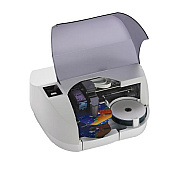
Enhance your printing experience with Primera Bravo SE AutoPrinter Ink Cartridges, designed specifically for the Primera Bravo SE AutoPrinter. These high-quality cartridges ensure vibrant, long-lasting prints for your CDs, DVDs, and Blu-ray discs. Choose between the Primera 53332 Color Ink Cartridge and the Primera 53335 Color Ink Cartridge to meet your specific printing needs. These cartridges are engineered to deliver exceptional color accuracy and sharp detail, making them ideal for businesses, educational institutions, government agencies, and healthcare facilities requiring professional-grade disc printing. With Primera Bravo SE AutoPrinter Ink Cartridges, you'll achieve consistent, high-quality results every time. Whether you're producing marketing materials, archiving important data, or creating custom media for clients, these ink cartridges ensure your discs look polished and professional. Invest in Primera Bravo SE AutoPrinter Ink Cartridges for reliable, superior-quality disc printing.

Primera Bravo SE AutoPrinter Ink Cartridges FAQs

  • What is the difference between Primera 53332 and 53335 ink cartridges?

    The Primera 53332 and 53335 are both color ink cartridges, but they may have different capacities or be designed for specific models within the Bravo SE AutoPrinter series. Check your printer's specifications to determine which cartridge is compatible.

  • How many discs can I print with one ink cartridge?

    The number of discs you can print depends on factors such as print coverage, quality settings, and disc surface. On average, you can expect to print between 100-200 discs per cartridge.

  • Are these ink cartridges compatible with other Primera printers?

    These cartridges are specifically designed for the Primera Bravo SE AutoPrinter. They may not be compatible with other Primera printer models. Always check your printer's specifications for the correct cartridge type.

  • How long do unopened ink cartridges last?

    Unopened ink cartridges typically have a shelf life of 1-2 years when stored properly in a cool, dry place. Check the expiration date on the packaging for specific information.

  • Can I refill these ink cartridges?

    Primera does not recommend refilling these cartridges, as it may affect print quality and potentially damage your printer. It's best to use genuine Primera ink cartridges for optimal results.

  • How do I install a new ink cartridge in my Primera Bravo SE AutoPrinter?

    To install a new cartridge, turn on the printer, open the front cover, remove the old cartridge, insert the new one until it clicks into place, and close the cover. Refer to your printer's manual for detailed instructions.

  • What should I do if my prints appear faded or have streaks?

    First, try cleaning the print heads using the printer's built-in cleaning function. If the issue persists, the ink cartridge may be low or defective and need replacement.

  • Are these ink cartridges environmentally friendly?

    Primera strives to produce environmentally responsible products. However, for specific details on the environmental impact of these cartridges, contact Primera directly or check their website for sustainability information.

  • Can I use third-party ink cartridges in my Primera Bravo SE AutoPrinter?

    While third-party cartridges may work, using non-Primera ink cartridges can void your printer's warranty and potentially cause print quality issues. It's recommended to use genuine Primera ink cartridges.

  • How do I properly store unused ink cartridges?

    Store unused cartridges in their original sealed packaging, away from direct sunlight and extreme temperatures. Keep them in an upright position to prevent ink leakage and maintain their quality until use.

Warehouse Locations

Policy & Agreement | Copyright © 1995-2026 BlueDogInk.com
