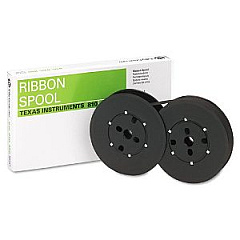





Philips Unidata 150 Impact Printers Supplies

Ads

Philips Unidata 150 Printer Ribbon

Ensure uninterrupted operation of your Philips Unidata 150 Impact Printers with our high-quality supplies. Our selection of Philips Unidata 150 Impact Printers Supplies includes the essential TallyGenicom 2246601-0003 Ribbon Cartridge, designed for optimal performance and longevity. These reliable supplies are perfect for businesses, educational institutions, government agencies, healthcare facilities, and wholesale operations that depend on consistent, high-volume printing. The TallyGenicom ribbon cartridge delivers crisp, clear text and graphics, ensuring your documents maintain a professional appearance. By choosing our genuine supplies, you'll maximize your printer's efficiency, reduce downtime, and extend its lifespan. Don't compromise on quality – trust our Philips Unidata 150 Impact Printers Supplies to keep your operations running smoothly and productively.

Philips Unidata 150 Impact Printers Supplies FAQs

  • How often should I replace the ribbon cartridge in my Philips Unidata 150 Impact Printer?

    The replacement frequency depends on your printing volume. Generally, replace the ribbon when print quality begins to fade or becomes inconsistent.

  • Is the TallyGenicom 2246601-0003 Ribbon Cartridge compatible with other printer models?

    This ribbon cartridge is specifically designed for the Philips Unidata 150 Impact Printer. Always check your printer's manual for compatibility information.

  • How many pages can I print with one TallyGenicom 2246601-0003 Ribbon Cartridge?

    The page yield varies depending on print density and content. On average, you can expect several thousand pages per cartridge.

  • Are these genuine Philips supplies?

    While not manufactured by Philips, the TallyGenicom 2246601-0003 Ribbon Cartridge is a high-quality, compatible replacement for Philips Unidata 150 Impact Printers.

  • Can I recycle used ribbon cartridges?

    Yes, many office supply stores and recycling centers accept used printer ribbons. Check with your local recycling facilities for specific guidelines.

  • How do I install the ribbon cartridge in my Philips Unidata 150 Impact Printer?

    Consult your printer's manual for specific instructions. Generally, you'll need to open the printer cover, remove the old cartridge, and snap the new one into place.

  • What should I do if my print quality is poor after installing a new ribbon?

    Ensure the ribbon is properly installed and seated. If issues persist, try cleaning the print head according to the printer's manual instructions.

  • Do you offer bulk discounts for these supplies?

    Yes, we offer volume discounts for bulk purchases. Contact our sales team for more information on pricing for large orders.

  • How long can I store unused ribbon cartridges?

    Unopened ribbon cartridges can typically be stored for up to two years in a cool, dry place away from direct sunlight.

  • What's your return policy for printer supplies?

    We accept returns of unopened, undamaged items within 30 days of purchase. Please contact our customer service team for specific return instructions.

Warehouse Locations

Policy & Agreement | Copyright © 1995-2026 BlueDogInk.com
