
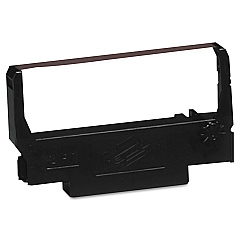
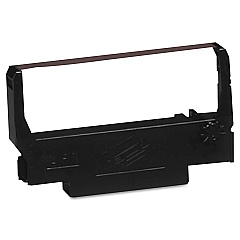





Panasonic JS-8000 Remote Retail Equip. POS/Cash Reg. Supplies

Ads

Panasonic JS-8000 Remote POS Printer Ribbon

Ensure smooth operations for your Panasonic JS-8000 Remote Retail Equip. POS/Cash Reg. Supplies with our high-quality printer supplies. Compatible with this advanced point-of-sale system, we offer the Epson ERC-38 Black Red Ribbon Cartridge and the Epson ERC-38 Black Ribbon Cartridge. These reliable cartridges deliver crisp, clear prints for receipts, reports, and other essential documents. The dual-color option allows for eye-catching highlights and emphasis where needed. Designed for longevity and consistent performance, these supplies minimize downtime and maximize efficiency in busy retail environments. Whether you're running a small boutique or a large department store, our Panasonic JS-8000 Remote Retail Equip. POS/Cash Reg. Supplies ensure your transactions are recorded accurately and professionally. Stock up on these essential supplies to keep your business running smoothly and your customers satisfied.

Panasonic JS-8000 Remote Retail Equip. POS/Cash Reg. Supplies FAQs

  • What types of printer supplies are compatible with the Panasonic JS-8000 Remote Retail Equipment?

    The Panasonic JS-8000 is compatible with Epson ERC-38 Black Red Ribbon Cartridge and Epson ERC-38 Black Ribbon Cartridge.

  • How long do the Epson ERC-38 cartridges typically last?

    The lifespan of the cartridges depends on usage, but they generally last for several thousand prints.

  • Can I use third-party cartridges with the Panasonic JS-8000?

    While third-party cartridges may work, we recommend using genuine Epson cartridges for optimal performance and to avoid potential damage to your equipment.

  • What's the difference between the Black Red and Black only cartridges?

    The Black Red cartridge allows for two-color printing, useful for highlighting important information, while the Black only cartridge is for standard monochrome printing.

  • How do I install a new cartridge in the Panasonic JS-8000?

    Consult your Panasonic JS-8000 user manual for specific instructions, but generally, you'll need to open the printer compartment, remove the old cartridge, and insert the new one until it clicks into place.

  • Are these cartridges environmentally friendly?

    Epson designs their cartridges with environmental considerations in mind, but it's best to check local recycling guidelines for proper disposal.

  • Can I use the same cartridge for multiple Panasonic POS models?

    The Epson ERC-38 cartridges are compatible with various POS systems, but always check your specific model's requirements before purchasing.

  • How can I tell when it's time to replace my cartridge?

    You'll notice faded or incomplete printing when your cartridge is running low. It's a good idea to keep spare cartridges on hand to avoid interruptions.

  • Do you offer bulk discounts on these cartridges?

    Yes, we often provide discounts for bulk purchases. Contact our sales team for more information on volume pricing.

  • What's the shelf life of unused cartridges?

    Unopened cartridges typically have a shelf life of 1-2 years when stored properly in a cool, dry place away from direct sunlight.

Warehouse Locations

Policy & Agreement | Copyright © 1995-2026 BlueDogInk.com
