





Ads

Oki Okimate 120 Dot Matrix Ribbon

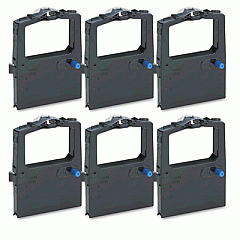
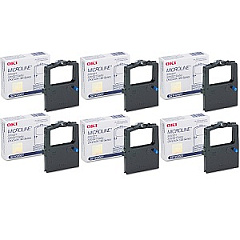
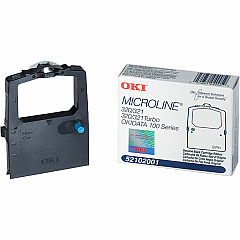
Discover top-quality Oki Okimate 120 Impact Printers Supplies at Blue Dog Ink. Our comprehensive selection includes the essential Okidata 52102001 Black Ribbon Cartridge and Okidata 52102001 Ribbon Cartridge Box, ensuring your Oki Okimate 120 printer operates at peak performance. These reliable supplies are designed to deliver crisp, clear prints for various applications in business, education, healthcare, and government sectors. With our premium Oki Okimate 120 Impact Printers Supplies, you can count on consistent, high-quality output for all your printing needs. Blue Dog Ink offers competitive pricing and fast shipping, making it easy to keep your Oki Okimate 120 printer well-stocked and running smoothly. Trust in our expertise to provide you with the best supplies for your impact printer, guaranteeing optimal results and extended printer life.

Oki Okimate 120 Impact Printers Supplies FAQs

  • What types of supplies are available for the Oki Okimate 120 Impact Printer?

    The main supplies available for the Oki Okimate 120 Impact Printer are the Okidata 52102001 Black Ribbon Cartridge and the Okidata 52102001 Ribbon Cartridge Box.

  • How long does an Okidata 52102001 Black Ribbon Cartridge typically last?

    The lifespan of an Okidata 52102001 Black Ribbon Cartridge depends on usage, but it typically lasts for about 3 million characters.

  • Are these supplies compatible with other Oki printer models?

    These supplies are specifically designed for the Oki Okimate 120 Impact Printer and may not be compatible with other Oki printer models.

  • How can I ensure the best print quality with these supplies?

    To ensure the best print quality, use genuine Oki supplies, replace cartridges when needed, and perform regular printer maintenance.

  • What is the difference between the Black Ribbon Cartridge and the Ribbon Cartridge Box?

    The Black Ribbon Cartridge is the actual ink-containing component, while the Ribbon Cartridge Box is the protective casing for the ribbon cartridge.

  • How often should I replace the ribbon cartridge in my Oki Okimate 120 printer?

    Replace the ribbon cartridge when print quality begins to fade or after approximately 3 million characters, whichever comes first.

  • Are these supplies environmentally friendly?

    Oki strives to produce environmentally friendly products, but it's best to check the specific product details for information on recycling and disposal.

  • Can I use third-party supplies in my Oki Okimate 120 printer?

    While third-party supplies may work, using genuine Oki supplies is recommended to ensure optimal performance and to maintain your printer's warranty.

  • How do I install a new ribbon cartridge in my Oki Okimate 120 printer?

    Consult your printer's user manual for specific instructions, but generally, you'll need to open the printer cover, remove the old cartridge, and carefully insert the new one until it clicks into place.

  • What should I do if I experience print quality issues with these supplies?

    If you experience print quality issues, first ensure the cartridge is properly installed. If problems persist, try cleaning the print head or replacing the cartridge if it's near the end of its life.

Warehouse Locations

Policy & Agreement | Copyright © 1995-2026 BlueDogInk.com
