










Ads

Oki MPS4242MCF Black Toner Cartridges

Oki MPS4242MCF Color Toner Cartridges

Oki MPS4242MCF Fusers

Oki MPS4242MCF Copy Paper

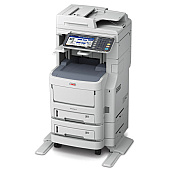
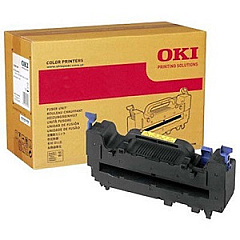
Enhance your printing experience with genuine Oki MPS4242MCF Toner Cartridges, designed to deliver exceptional quality and reliability. This comprehensive set includes Okidata 45396221 Yellow, 45396222 Magenta, 45396223 Cyan, and 45396224 Black toner cartridges, ensuring vibrant color and crisp text for all your printing needs. The Okidata 57111501 Fuser and 57111601 Transfer Belt complete the package, guaranteeing optimal performance and longevity for your Oki MPS4242MCF printer. These high-capacity cartridges offer excellent page yields, reducing the frequency of replacements and minimizing downtime. Whether you're printing important business documents, eye-catching marketing materials, or detailed reports, these Oki MPS4242MCF Toner Cartridges provide consistent, professional results. Trust in the superior quality of genuine Okidata supplies to keep your printer running smoothly and efficiently.

Oki MPS4242MCF Toner Cartridges FAQs

  • How long do Oki MPS4242MCF Toner Cartridges typically last?

    The lifespan of these cartridges varies depending on usage, but they generally offer high page yields for extended use.

  • Are these toner cartridges compatible with other Oki printer models?

    These cartridges are specifically designed for the Oki MPS4242MCF printer. Always check your printer's compatibility before purchasing.

  • How often should I replace the fuser and transfer belt?

    The fuser and transfer belt typically have longer lifespans than toner cartridges. Replace them when print quality deteriorates or as recommended by your printer's maintenance schedule.

  • Can I use third-party toner cartridges instead of genuine Okidata ones?

    While third-party options exist, using genuine Okidata cartridges ensures optimal print quality and prevents potential damage to your printer.

  • How do I properly store unused toner cartridges?

    Store cartridges in a cool, dry place away from direct sunlight. Keep them in their original packaging until ready for use.

  • What should I do with empty toner cartridges?

    Recycle empty cartridges through Oki's recycling program or local recycling centers to minimize environmental impact.

  • How can I tell when it's time to replace a toner cartridge?

    Your printer will typically alert you when toner levels are low. You may also notice a decrease in print quality.

  • Are these toner cartridges covered by a warranty?

    Yes, genuine Okidata toner cartridges come with a manufacturer's warranty against defects.

  • Can I replace just one color cartridge at a time?

    Yes, you can replace individual color cartridges as needed, but it's often recommended to replace all colors at once for consistent print quality.

  • How do I install new toner cartridges in my Oki MPS4242MCF printer?

    Consult your printer's user manual for specific instructions, but generally, you'll need to open the printer's front panel, remove the old cartridge, and insert the new one until it clicks into place.

Warehouse Locations

Policy & Agreement | Copyright © 1995-2026 BlueDogInk.com
