




Oki Microline 621 9 Pin Dot Matrix Printers Supplies

Ads

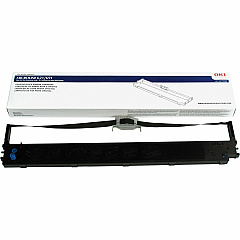
Oki Microline 621 Dot Matrix Ribbon

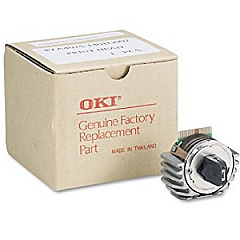
Oki Microline 621 Printheads

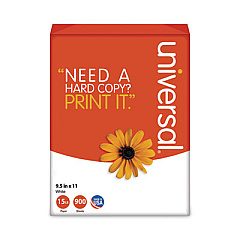
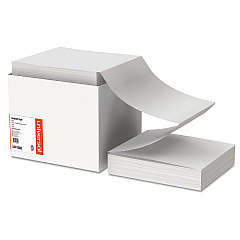
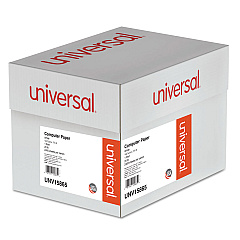
Oki Microline 621 Copy Paper

Ensure uninterrupted printing with high-quality Oki Microline 621 Ink Cartridges. These reliable supplies are designed specifically for the Oki Microline 621 printer, delivering crisp, professional results for your business documents. The Okidata 44159002 Printhead and Okidata 44173404 Ribbon Cartridge work seamlessly together to produce clear, legible text and graphics. Whether you're printing invoices, reports, or labels, these ink cartridges provide consistent performance and long-lasting output. With genuine Oki supplies, you can count on optimal print quality and maximum page yield, reducing downtime and increasing productivity. Don't compromise on quality – choose Oki Microline 621 Ink Cartridges for all your printing needs. These cost-effective solutions are perfect for high-volume printing environments in offices, schools, healthcare facilities, and government institutions. Trust in Oki's reputation for reliability and keep your Microline 621 printer running smoothly with these essential supplies.

Oki Microline 621 9 Pin Dot Matrix Printers Supplies FAQs

  • How long do Oki Microline 621 Ink Cartridges typically last?

    The lifespan of Oki Microline 621 Ink Cartridges varies depending on usage, but the Okidata 44173404 Ribbon Cartridge typically yields around 30,000 pages.

  • Are these ink cartridges compatible with other Oki printer models?

    These cartridges are specifically designed for the Oki Microline 621 printer. Always check your printer's compatibility before purchasing supplies.

  • How often should I replace the Okidata 44159002 Printhead?

    The printhead typically lasts for several ribbon cartridge changes. Replace it when you notice a decline in print quality that persists after changing the ribbon.

  • Can I use third-party ink cartridges in my Oki Microline 621 printer?

    While third-party options exist, using genuine Oki supplies ensures optimal performance and prevents potential damage to your printer.

  • How do I install the Okidata 44173404 Ribbon Cartridge?

    Open the printer cover, remove the old cartridge, align the new cartridge with the print head, and snap it into place. Refer to your printer's manual for detailed instructions.

  • Are these ink cartridges environmentally friendly?

    Oki strives to produce environmentally responsible products. The cartridges can be recycled through Oki's recycling program.

  • What should I do if I experience poor print quality?

    First, ensure the ribbon is properly installed. If issues persist, try cleaning the printhead. If problems continue, consider replacing the ribbon or printhead.

  • Can I buy these ink cartridges in bulk?

    Yes, bulk purchasing options are available for high-volume users. Contact the supplier for more information on bulk pricing.

  • How should I store unused ink cartridges?

    Store unused cartridges in a cool, dry place away from direct sunlight. Keep them in their original packaging until ready for use.

  • What's the difference between the printhead and the ribbon cartridge?

    The printhead (44159002) is the mechanism that applies ink to the paper, while the ribbon cartridge (44173404) contains the ink. Both are essential for printing.

Warehouse Locations

Policy & Agreement | Copyright © 1995-2026 BlueDogInk.com
